How to Build an Event Management App
2 hours agoPUBLISHED INAI Development
 ali
ali 2026-10-28 14:00:00
 0
0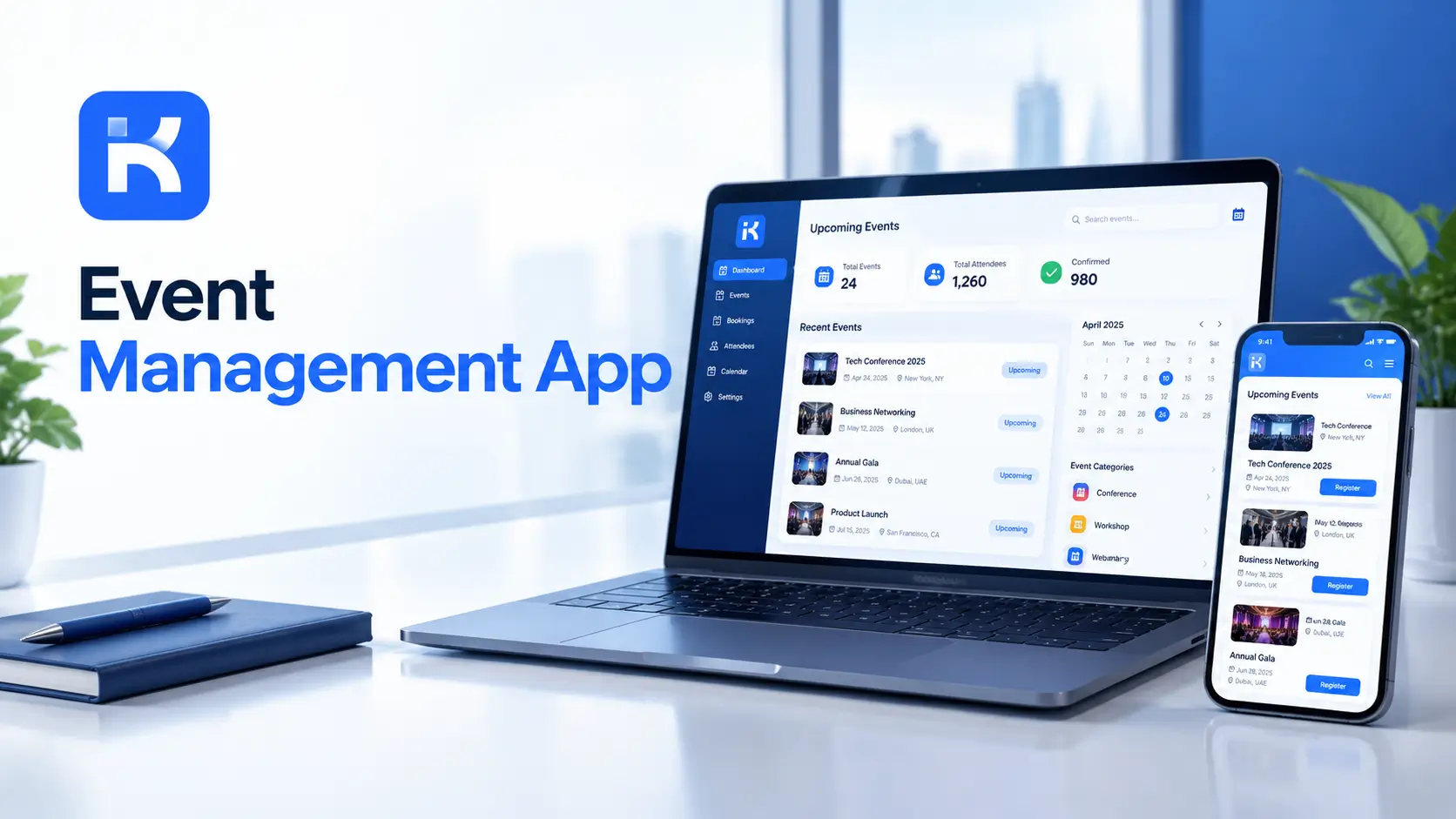
Three weeks before the annual conference, the venue asks for the final headcount. Registrations are in one spreadsheet, dietary needs in another and vendor quotes in someone's inbox. Nobody can say what has been approved or what has been paid.
An event management app fixes that. Every request, quote and task has an owner and a status. You don't need custom code. The KodeFlex product overview shows how an AI builder drafts a first version from a plain description. Here's how to build one, step by step.
What an event management app does
-
Registration. Attendees or staff sign up through one form.
-
Approvals. Budget and vendor choices get signed off by the right people.
-
Vendors. Quotes, contracts and deliverables tracked per supplier.
-
Tasks. A checklist with owners and due dates, from booking to teardown.
-
Day-of logistics. Schedules, rooms, contacts and issues.
-
Reports. Headcount, budget used and tasks still open.
Start with registration, approvals and tasks. Add the rest later.
Step by step: build your event management app
Step 1. Map how an event runs today
Write down the stages: idea, approval, planning, promotion, delivery, review. Who approves the budget? Who books vendors? Who is on site? Honestly, this page saves days later.
Step 2. Describe the app in one prompt
KodeFlex is an AI development platform and app builder for enterprise collaboration. You describe a business need in plain language, and it generates a runnable app with the frontend, backend and approval flows. Then you refine it with visual tools for forms, approval paths, rules and branches. Turn your page into a prompt:
-
"An event management app. Organizers submit an event request with date, venue, budget and expected headcount. A manager approves. Attendees register with a form. Vendors are tracked with quotes and status. Tasks have owners and due dates."
Step 3. Set up the data model
|
Record |
Key fields |
Notes |
|---|---|---|
|
Event |
Name, date, venue, budget, owner, status |
The center of the app. |
|
Registration |
Event, attendee, contact, needs, status |
One per attendee. |
|
Vendor |
Event, supplier, service, quote, status |
Tracks quotes and delivery. |
|
Task |
Event, description, owner, due date, status |
The planning checklist. |
|
Approval |
Event or vendor, approver, decision, comment |
Budget and vendor sign-off. |
Step 4. Build the registration form
Keep it short. Name, contact, session choices and any needs such as dietary or access requirements. A long form means fewer sign-ups. Add a status so you can tell registered from confirmed.
Step 5. Design approvals and the status path
-
Proposed. The event request is submitted.
-
Approved. A manager signs off on budget and date.
-
Planning. Vendors and tasks are in progress.
-
Ready. Everything is confirmed.
-
Done. The event has run and the review is complete.
Use visual workflow refinement to shape the path. Add a branch for spend above a set amount, which needs a second approver.
Step 6. Track vendors and tasks
Each vendor gets a record with quote, status and contact. Each task gets an owner and a due date. A view of tasks due this week keeps the team honest.
Step 7. Set permissions
-
Attendees see their own registration.
-
Organizers see their events.
-
Managers approve budgets.
-
Finance sees spend.
Step 8. Preview, test and release
KodeFlex offers live preview, debugging and one-click release and deployment. Use them. Run a small internal event through the app first. Then use it for the next real one.
Write a better prompt for your first version
|
Weak prompt |
Better prompt |
|---|---|
|
"Build an event app." |
"Organizers submit an event request with budget. A manager approves. Attendees register. Vendors and tasks are tracked per event." |
|
"Add budgets." |
"Show planned spend against approved budget per event, and flag events over budget." |
|
"Add tasks." |
"Each task has an owner and due date. Show tasks due in the next 7 days." |
Who sees what: a simple access plan
|
Role |
Needs to see |
Should not see |
|---|---|---|
|
Attendee |
Their own registration and event details |
Other attendees' details |
|
Organizer |
Their events, tasks and vendors |
Budgets of other events |
|
Manager |
Budgets and approvals |
Day-to-day task detail, unless needed |
|
Finance |
Approved spend and vendor costs |
Attendee personal data |
|
Vendor contact |
Only items shared with them, if you choose to give access |
Everything else |
This is an example. Adjust it for your own organization.
What to test before launch
-
A budget above the approval limit. Does the extra approver appear?
-
A vendor who cancels. Can you swap one quickly and keep the history?
-
An attendee who changes their mind. Can they update their registration?
-
A task past its due date. Does it show as overdue?
-
A user without access. Do they see only what they should?
Planning timeline: a simple pattern
|
When |
What the app should show |
|---|---|
|
Eight weeks out |
Approved budget, venue and date |
|
Four weeks out |
Vendors confirmed, registration open |
|
One week out |
Final headcount, task list near complete |
|
Day of |
Schedule, contacts and an issue log |
|
After |
Spend against budget and lessons for next time |
Reports your team will use
|
Report |
Question it answers |
|---|---|
|
Registrations by event |
How many are coming? |
|
Budget used |
Are we on track? |
|
Tasks due this week |
What needs doing now? |
|
Vendor status |
Who has confirmed, and who hasn't? |
|
Open issues on the day |
What needs fixing right now? |
How KodeFlex fits
The platform covers generation, design, preview, debugging, release and deployment, with version control, one-click release and a unified operations dashboard. It also has a private deployment option if you want data kept in-house. The KodeFlex home page has the full overview.
Pricing is by license. The KodeFlex pricing page lists lifetime licenses from $1,499 for the Team edition (50 users, 20 apps) and annual licenses from $3,699. Plans change, so check the page.
Where KodeFlex does not fit
Worth saying plainly. KodeFlex builds internal business apps for approvals, tracking and records. The public pages don't describe ticket sales, online payments, email invitations, QR check-in or a mobile attendee app. If you sell tickets or need badge scanning at the door, use a dedicated event tool for that part. Ask in a demo how you could connect the two.
A practical example: an annual company conference
A company of 400 runs one conference a year. This is an illustration, not a case study.
-
Before. Spreadsheets and email threads. Approvals in chat.
-
Build. An event request with budget approval, a registration form, vendor tracking and a task list.
-
Test. A small team offsite as a trial run.
-
Result. One place to see what is approved, booked and still open.
Common mistakes to avoid
-
A long registration form. People abandon it.
-
No budget approval step. Costs creep.
-
Tasks without owners. Unowned tasks get missed.
-
No day-of view. Plans are useless if nobody can see them on the day.
-
Skipping a trial run. Test on a small event first.
Checklist before you go live
-
Event stages and approvers are agreed.
-
Registration form is short and tested.
-
Budget approval matches your rules.
-
Permissions are tested with real accounts.
-
Ticketing and payments are handled elsewhere, if you need them.
-
A trial event has run through the app.
Want to try this on your next event? You can request a KodeFlex demo or download KodeFlex and test it yourself.
Frequently asked questions
What is an event management app?
It's an app that tracks event requests, registrations, budgets, vendors, tasks and logistics in one place, so everyone can see what is approved and what is open.
Can I build an event management app without code?
For the workflow side, yes. Registrations, approvals, vendor tracking and task lists can be built with an AI app builder and visual tools. Ticketing and payments usually need separate tools.
What should an event app track?
Events, registrations, vendors, tasks, approvals and budget. Add schedules, rooms and issue logs for the day itself.
Does KodeFlex handle ticket sales or payments?
The public KodeFlex pages don't describe those features. Plan a dedicated tool for ticketing and ask the KodeFlex team about connections in a demo.
How long does it take to build one?
A rough first version can come together in an afternoon with an AI builder. Tuning forms and approvals and a trial event usually take a few weeks.
Do I need dedicated event software instead?
If you sell tickets, scan badges or run a large public event, a dedicated product may fit better. For planning, approvals and tracking, a custom app can be enough.
How much does KodeFlex cost?
According to the KodeFlex pricing page, lifetime licenses start at $1,499 for the Team edition (50 users and 20 apps), and annual licenses start at $3,699. Check the page for current plans.
|
Ready to get your events out of spreadsheets? Tell us how you plan events today and we will show you what it looks like as a working app. Request a KodeFlex demo to see it live, or read the KodeFlex product overview first. |
Related Blogs
Digital Transformation Tools: A Practical Guide