
KodeFlex 1.2 has been released, improving application design flexibility and configuration efficiency.
- 2026-09-08 11:18:00
- liujinyuan Original
- 61
I. Introduction
Hello everyone, KodeFlex 1.2 is released! This release supports code-based action implementation and further improves action icon configuration, field color settings, and operation column button display capabilities, allowing designers to more flexibly adjust the application interface and interaction methods according to different business scenarios. At the same time, AI and ZAI configurations have been integrated, further simplifying platform configuration and improving the stability and consistency of workflow call extension capabilities.
With this upgrade, KodeFlex continues to improve the product experience from application building and interface design to runtime configuration, helping enterprises to build collaborative applications that better meet their actual business needs more efficiently and flexibly.
Thank you for your continued support and feedback! We will continue to refine our product capabilities to bring enterprises a more efficient and reliable experience in building and delivering intelligent applications.
Welcome to the KodeFlex website for more product information and to access trial services: https://www.kodeflex.ai
II. New Features
Master-child table design
- Both the main table and child table fields support setting the display color of field values.
Action Design
- The default action in the action design page has a built-in default icon.
- When adding actions to a workflow, you can set action icons.
- Workflow editing actions support adjusting action icons.
- The browsing action supports setting the display format of the operation column buttons.
- The details of the action allow you to customize the display format of the operation column buttons.
Workflow and scalability
- Extended functions take precedence over workflow loading.
AI Configuration
- Integrating AI with ZAI configuration.
III. Function Demonstration
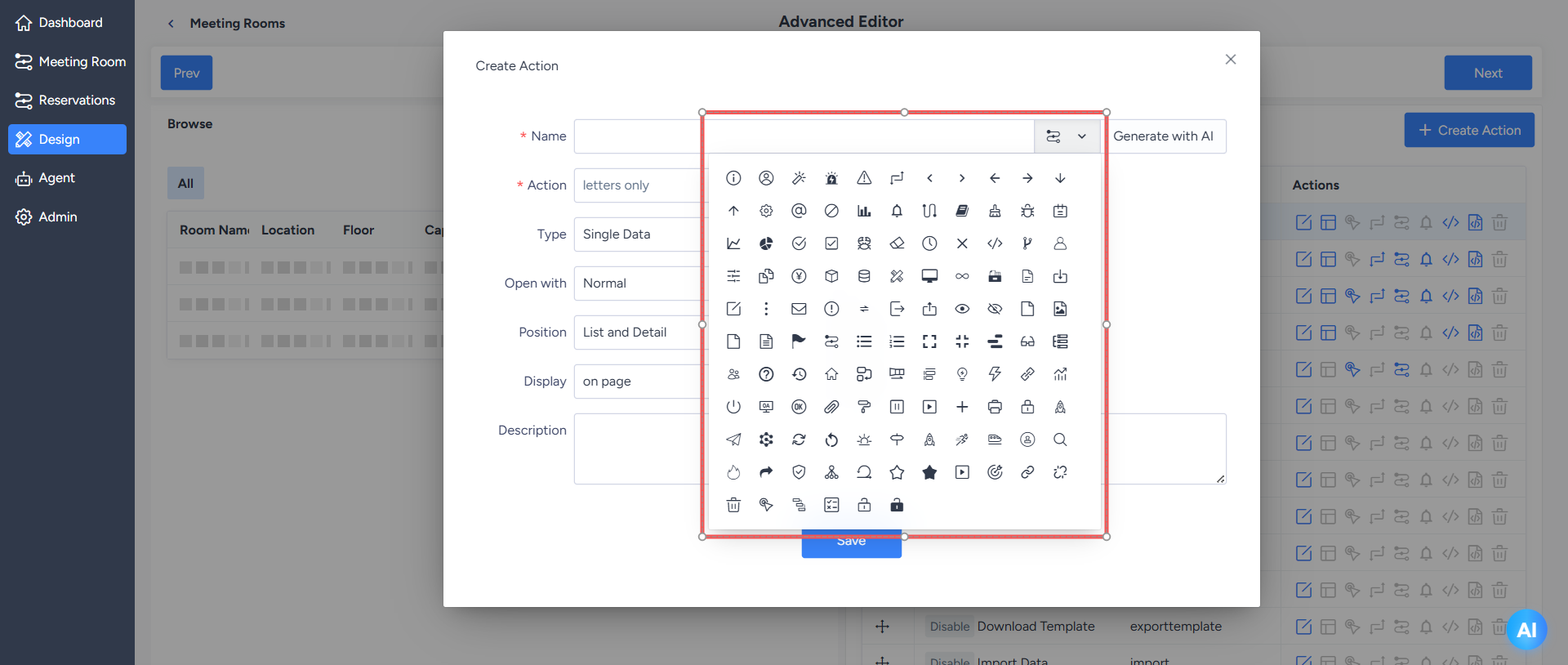
Custom actions support setting action icons.
Provide default icons for default actions in the action design page. When designers add or edit actions in the workflow, they can also set corresponding icons according to the business meaning of the actions, making different operations more intuitive and easy to identify.
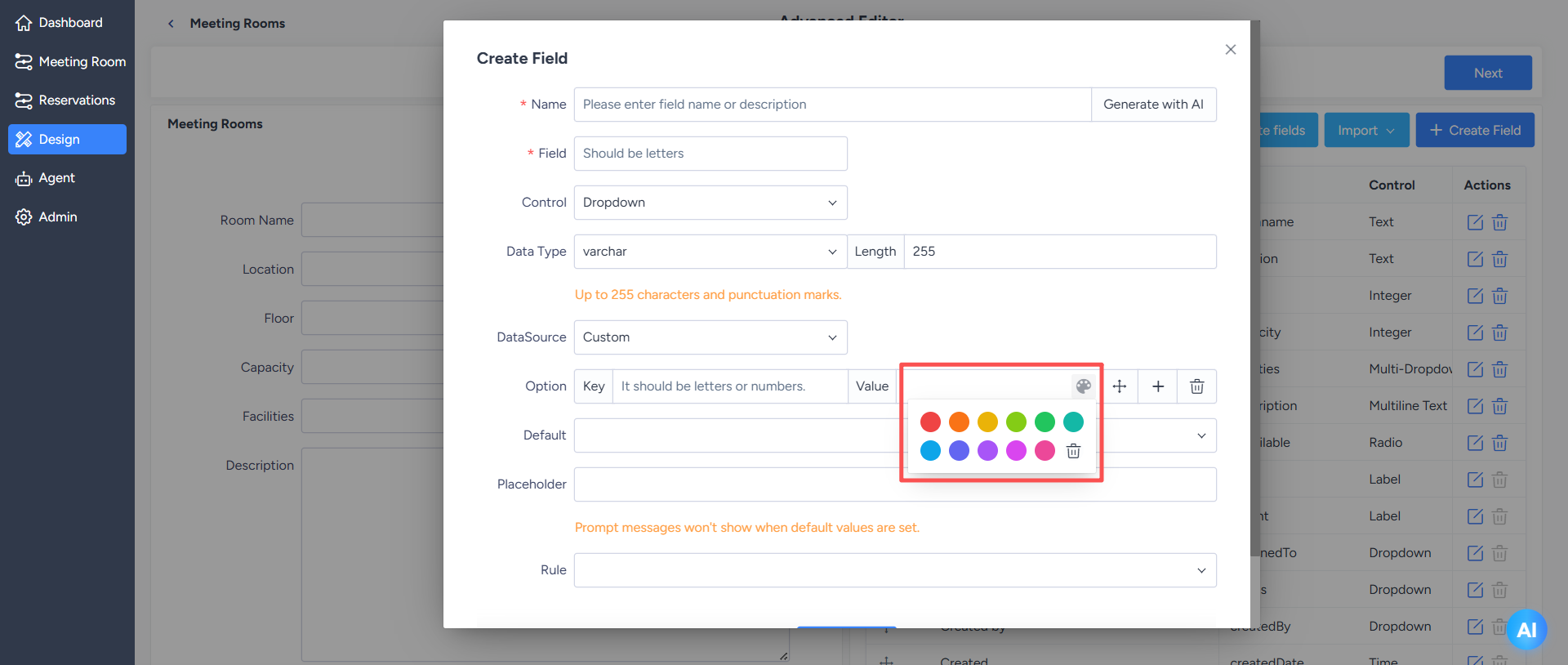
The display color of field values can be set in both master and child tables.
When designing the main table and sub-tables, designers can set display colors for field values to highlight status, category, or important information, helping users to quickly identify key business data and improve information browsing efficiency.
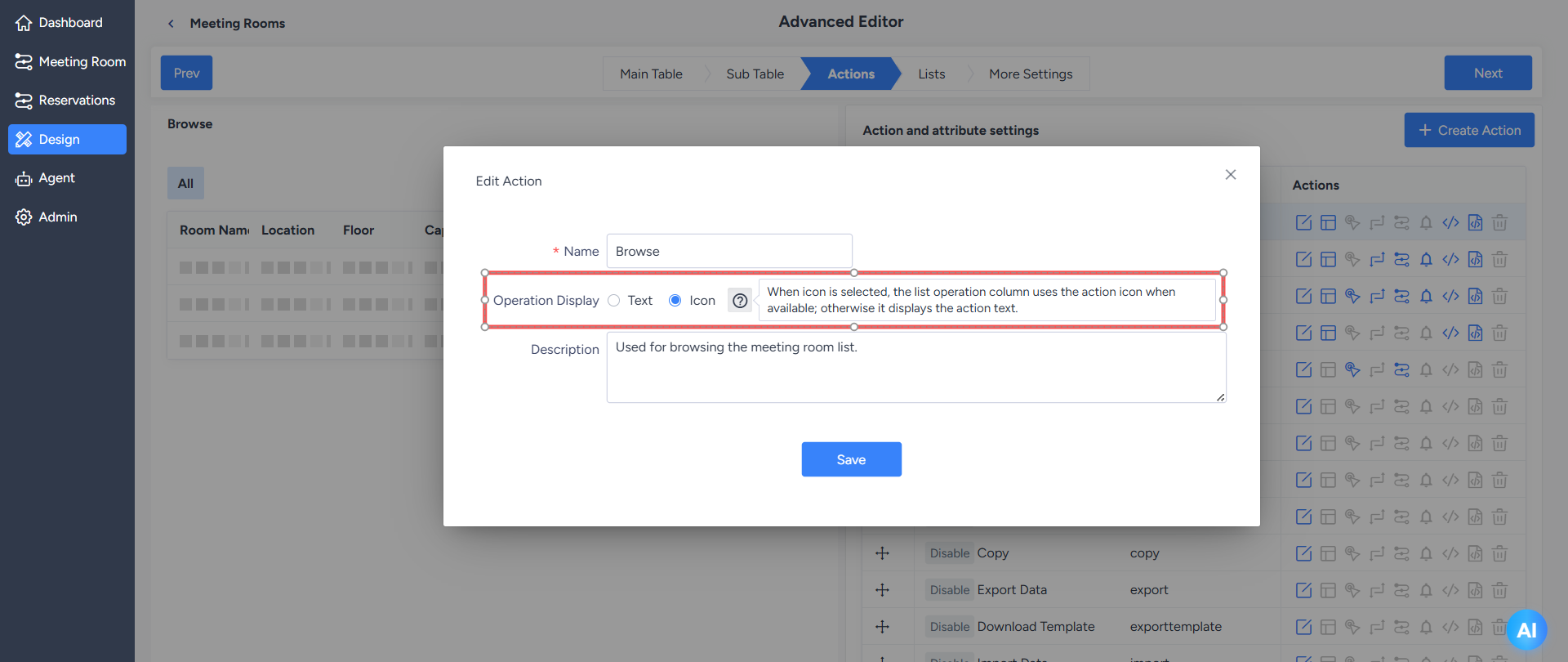
The browse and details actions support setting the display format of the operation column buttons.
Designers can customize the display format of the operation column buttons in the "Browse" and "Details" actions according to the page layout and actual usage scenarios, making the operation area clearer and better matching the application interface with specific business scenarios.
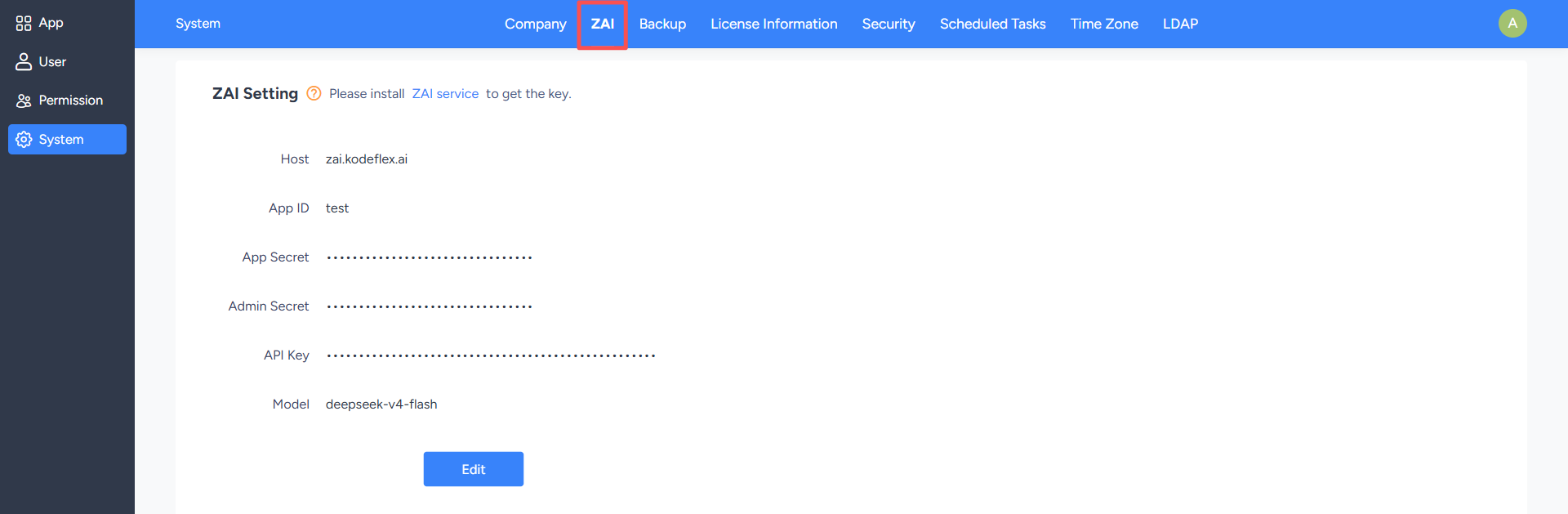
Integrate AI and ZAI configurations.
This release further integrates AI and ZAI configurations, reducing the fragmentation of configuration entry points and related settings, making the platform's AI service configuration more unified, and helping administrators and designers to more easily maintain the AI capabilities required by applications.
With continuous optimization and regular updates, KodeFlex is always on the move!