AI Drag & Drop App Builder: Build Apps Without Code
September 28, 2026PUBLISHED INAI Development
 ali
ali 2026-08-04 14:04:00
 0
0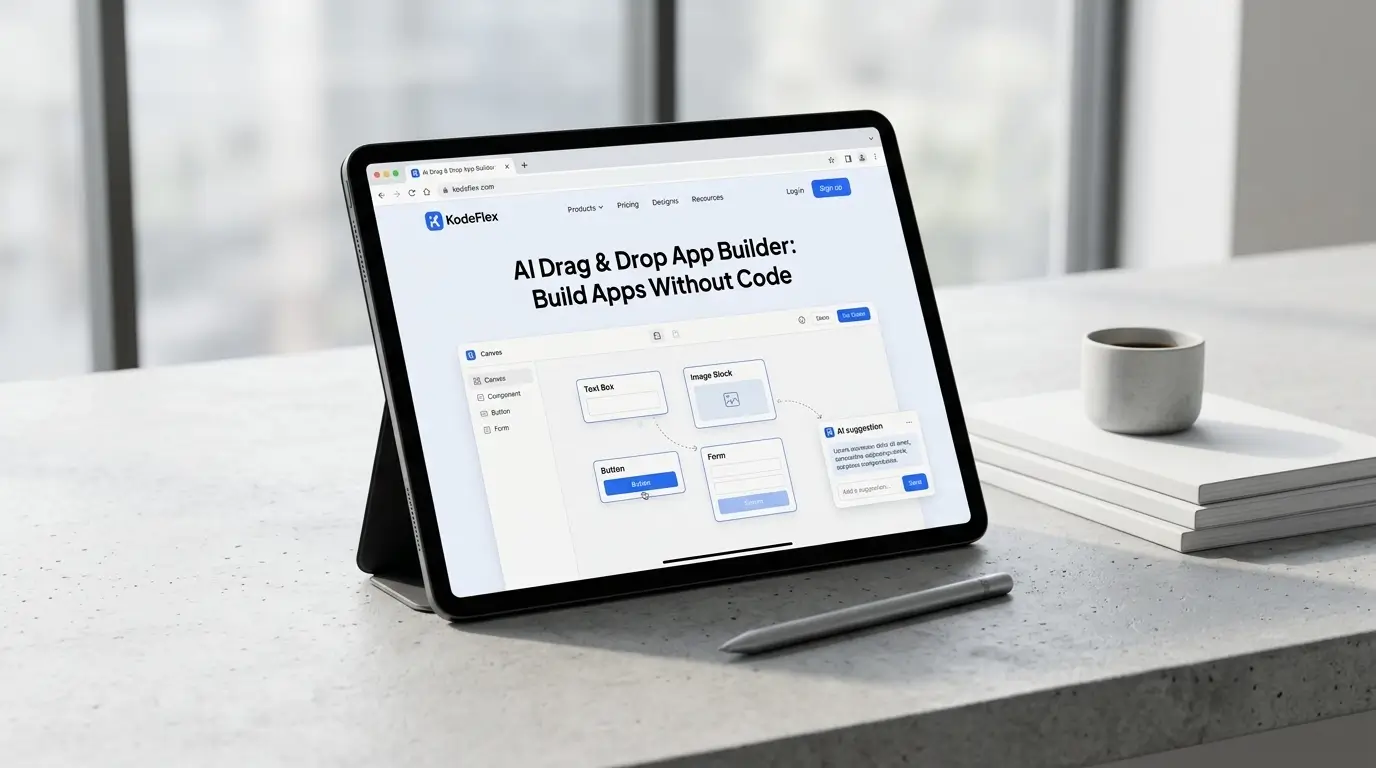
If you've ever needed a new internal app — an approval form, a tracker, a small portal — and didn't want to wait weeks for a dev team to build it, a drag-and-drop app builder is what you're looking for. It lets you assemble a working application by placing and connecting pre-built components on a canvas, instead of writing code line by line. The newest generation of these tools goes a step further: you describe what you need in plain language, and AI assembles the first draft for you, ready to refine by dragging and dropping.
Below, we'll walk through what a drag-and-drop app builder actually does, how KodeFlex's AI-powered version works end to end, a real example of building something in minutes, and how it stacks up against older drag-and-drop tools.
What Is a Drag-and-Drop App Builder?
A drag-and-drop app builder is a visual development tool. Instead of writing HTML, JavaScript, or backend logic by hand, you work with a library of ready-made pieces — forms, tables, buttons, approval steps, data fields — and arrange them on a canvas to build a functioning app. You click, drag, drop, and connect. The platform handles the underlying code.
The category has been around for over a decade (think early no-code tools), but most of them still ask you to manually assemble every field and every rule yourself. That's fine for a simple form. It gets slow and fiddly once you're building something with real business logic — approvals, conditional routing, multiple user roles.
That's the gap AI-powered drag-and-drop builders like KodeFlex are built to close.
How KodeFlex's AI-Powered Drag & Drop Works
Instead of starting from a blank canvas, you start with a sentence. Describe what you need — "an app for our team to submit and approve purchase requests over $500" — and KodeFlex generates a complete, runnable first draft: the form fields, the approval routing, the status tracking, the basic UI. That's the AI half of the workflow.
The drag-and-drop half kicks in right after. You get a visual canvas where every generated piece is fully editable — reorder fields, adjust who approves what, add a new step, change validation rules — without touching code. This two-step flow (AI draft, then human refinement) is deliberate. It means you're never stuck with a black-box output you can't adjust, and you're never starting from zero either.
Step-by-Step: Building Your First App
Here's roughly what that looks like in practice:
-
Describe the app. Type a plain-language description of the process you want to digitize — an onboarding checklist, a leave request form, an equipment booking system.
-
Review the AI draft. KodeFlex generates the structure: form fields, a workflow (who submits, who approves, what happens next), and a basic front-end layout.
-
Drag, drop, adjust. Reorder fields, add a missing approval step, change a dropdown to a checkbox, rename a button — all visually, on the canvas.
-
Preview and test. Run through the app as an end user would, before anyone else sees it.
-
Publish and manage the instance. Release the app, then use instance management to run test and production versions side by side as you iterate.
Most teams have something usable to test within the same session they started in — a meaningful difference from a multi-week dev cycle for a simple internal tool.
KodeFlex vs Traditional Drag-and-Drop Builders
The core difference isn't the drag-and-drop mechanic itself — both categories have that. It's what happens before you start dragging. Traditional tools hand you an empty canvas. KodeFlex hands you a working draft and lets the drag-and-drop layer do what it's best at: fine-tuning, not first-drafting.
See the full breakdown of what's included on the KodeFlex pricing page if cost is part of your decision.
Who Should Use an AI Drag-and-Drop App Builder?
This approach tends to fit best for:
-
Operations and IT teams who need internal tools (approvals, trackers, requests) faster than a dev backlog allows
-
Non-technical business owners who understand the process but don't want to learn a component library
-
Enterprises with compliance needs, where private deployment matters more than public-cloud convenience
-
Teams replacing spreadsheets and email chains with something structured but still fast to build
It's less suited to apps that need deep custom logic outside typical business-workflow patterns (highly specialized calculation engines, for example) — that's still a job for traditional development.
Frequently Asked Questions
Is a drag-and-drop app builder the same as no-code?
Mostly, yes — drag-and-drop is the interaction model most no-code tools use. The difference with AI-powered versions is that you don't start by dragging; you start by describing, and the AI produces the first draft for you to refine.
Do I need any coding knowledge to use KodeFlex?
No. The natural-language input and visual canvas are designed for non-developers, though technical users can still make deeper adjustments if needed.
Can drag-and-drop apps handle real business workflows, not just simple forms?
With a workflow engine underneath (as KodeFlex has), yes — multi-step approvals, conditional routing, and role-based access are supported, not just static forms.
How long does it take to build a working app this way?
For a typical internal tool — an approval form, a request tracker — most people have a testable first version within the same session, often in minutes rather than days.
Is my data safe with an AI app builder?
Look for private deployment support if data control matters to your organization. It keeps the application and its data inside your own infrastructure rather than a shared public cloud.
Ready to see it firsthand? Request a demo and describe the app you need — we'll show you how fast a working draft comes together.
Related Blogs
Internal Tool Builder: What It Is and How to Choose (2026)