App Builder for Construction Companies: Complete Guide
2 hours agoPUBLISHED INAI Development
 ali
ali 2026-10-14 15:54:00
 0
0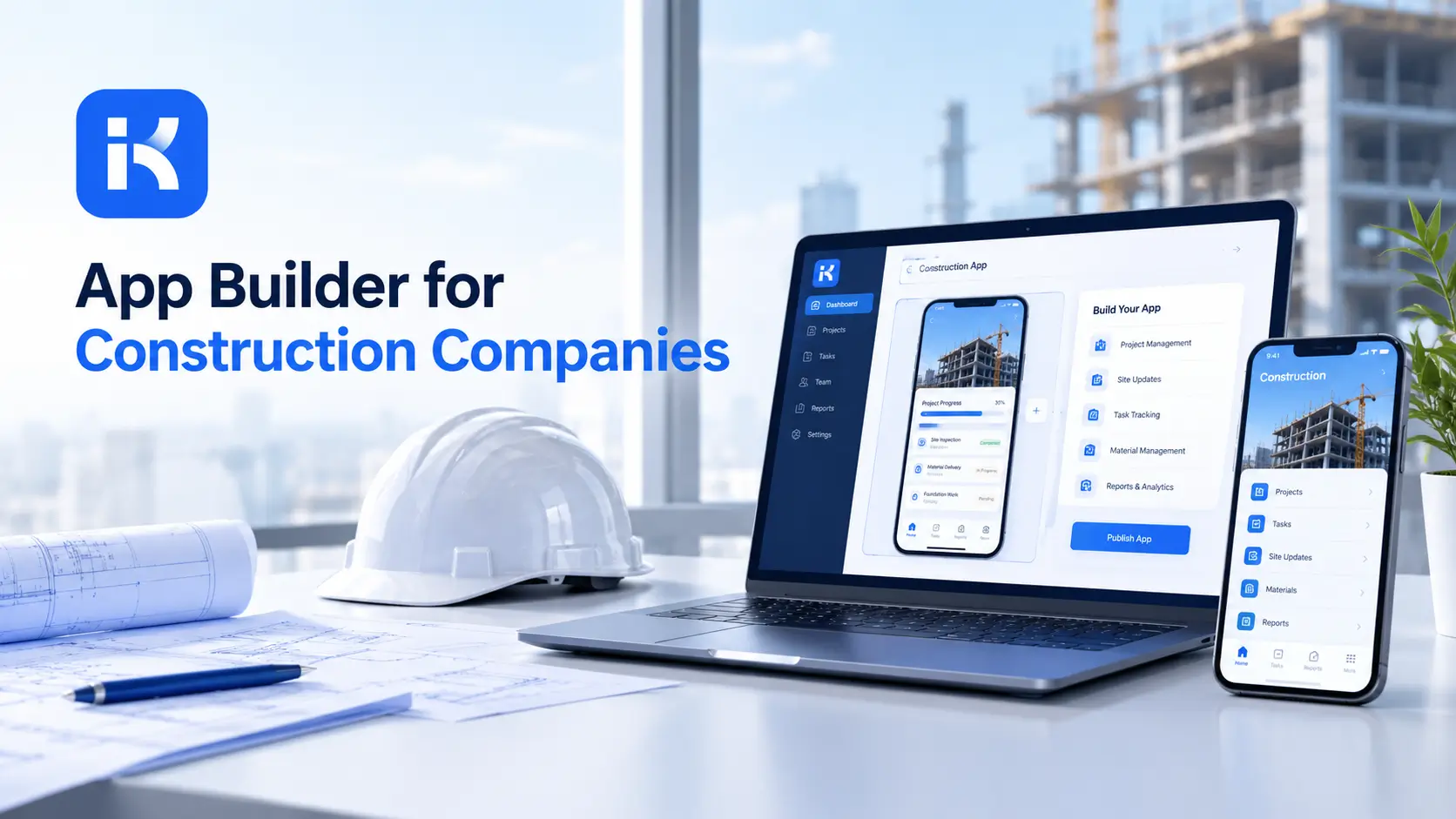
The site manager writes the daily report on paper. It gets photographed, texted to the office, retyped into a spreadsheet and emailed to the client. Two days later, someone asks which subcontractor was on site Tuesday. Nobody can say for sure.
That's where an app builder earns its keep. Forms, approvals and records live in one place, and nobody retypes anything. This guide shows how construction companies use them, what to build first and where the limits are. You can also book a KodeFlex demo to see it on your own scenario.
What an app builder does for a construction company
An app builder lets your own people create the internal apps the business needs, without a custom software budget. In construction, that usually means forms and workflows around paperwork.
-
Capture. Daily reports, site diaries, inspections and incidents in a structured form.
-
Route. Send each item to the right person for review or approval.
-
Track. Know the status of every request, change and subcontractor item.
-
Record. Keep a searchable history for disputes and audits.
Apps construction teams build first
Daily site report
Date, site, weather, crews on site, work done, delays and notes. The site manager submits it. The project manager reviews it. It becomes a record, not a lost photo.
Subcontractor tracking
Who is on the job, what they're scheduled to do, what documents they've supplied and what's still missing. A simple status view prevents surprises.
Change and variation approvals
A change request comes in with a description and cost. It goes through the project manager and, above a set value, a director. The client approval is recorded. Everyone can see where it stands.
Purchase and material requests
Site staff request materials. A supervisor approves. Procurement orders. The status is visible to the site, so nobody phones to ask.
Safety checks and incident reports
Toolbox talks, site inspections and incident reports captured in one place, with follow-up actions assigned to a person with a due date.
What to look for in an app builder
|
Question |
Why it matters |
|---|---|
|
Does it work on a phone or tablet on site? |
Site work isn't at a desk. Test this first. |
|
What happens with no signal? |
Many sites have poor coverage. Ask about offline use. |
|
Can people attach photos? |
Photos are central to site records. |
|
How are approvals handled? |
Changes and purchases follow approval chains. |
|
Who can see what? |
Clients, subcontractors and staff need different views. |
|
Where does data live? |
Some firms need private deployment. |
|
What does it cost? |
Compare per-user and license pricing at real scale. |
Step by step: build your first construction app
Step 1. Pick one paper process
Start with the daily site report or change request. Choose the one that causes the most re-typing today.
Step 2. Map it on one page
Who fills it in? Who checks? Who needs to see it? What is the end record?
Step 3. Describe it in one prompt
KodeFlex is an AI development platform and app builder for enterprise collaboration. You describe a business need in plain language, and it generates a runnable app with the frontend, backend and approval flows. Then you refine it with visual tools for forms, approval paths, rules and branches. Turn your page into a prompt:
-
"A daily site report app. Site managers submit date, site, weather, crews present, work completed and delays. A project manager reviews it. Reports are stored by site and date."
Step 4. Refine visually
Adjust the form fields, add a required section for delays and set the review step. Use dropdowns where possible, so reports stay comparable.
Step 5. Test on one site
KodeFlex offers live preview, debugging and one-click release. Run the app on one real site for two weeks with the site manager who will use it. Fix what slows them down.
Step 6. Roll out and add the next app
Once the first app works, move to the next paper process. Keep a short list of what exists and who owns it.
Who uses the apps, and what they see
|
Role |
What they do in the app |
What they should see |
|---|---|---|
|
Site manager |
Submit daily reports, requests and incidents |
Their own site only |
|
Project manager |
Review reports and approve changes |
All sites they manage |
|
Subcontractor lead |
Submit progress, documents and requests |
Only their own items |
|
Procurement |
Approve and place material orders |
Material requests across sites |
|
Director |
Approve changes above a set value |
Summaries and approvals |
|
Client contact |
Confirm change approvals, if you choose to give access |
Only items shared with them |
Decide these roles before you load any real data. Clients and subcontractors are the trickiest. Ask how external access works before you promise it to anyone.
Reports your management will want
-
Open changes by value. What is waiting for approval, and how much is at stake?
-
Delays by cause. Weather, materials, labor or design?
-
Reports submitted. Which sites are missing days?
-
Safety actions overdue. What follow-up is late?
-
Subcontractor documents missing. Who still owes paperwork?
Write a better prompt for your first app
|
Weak prompt |
Better prompt |
|---|---|
|
"Build a construction app." |
"Site managers submit a daily report with site, date, weather, crews present, work done and delays. The project manager reviews it." |
|
"Add approvals." |
"Change requests above a set value need director approval after the project manager." |
|
"Track subcontractors." |
"List each subcontractor per site with status for insurance, method statement and induction." |
How KodeFlex fits
The platform covers generation, design, preview, debugging, release and deployment, with version control, one-click release and a unified operations dashboard. It also has a private deployment option if you want data kept in-house. The KodeFlex home page has the full overview.
Pricing is by license. The KodeFlex pricing page lists lifetime licenses from $1,499 for the Team edition (50 users, 20 apps) and annual licenses from $3,699. Plans change, so check the page.
Where KodeFlex does not fit
Worth saying plainly. The public KodeFlex pages don't describe offline mode, mobile apps, photo capture, GPS or drawing and BIM tools. Site conditions make these important, so test them in a demo with your real situation. KodeFlex also isn't estimating, scheduling or accounting software. If you need those, use a specialist product alongside it.
A practical example: a mid-sized contractor
A contractor runs six sites. This is an illustration, not a case study.
-
Before. Paper daily reports, photographed and retyped. Change requests by email.
-
Build. A daily report app and a change request app with approval above a set value.
-
Test. One site for two weeks, then two more.
-
Result. One record per site per day, and a clear status for every change.
Common mistakes to avoid
-
Ignoring site conditions. If the app fails on a phone with weak signal, nobody will use it.
-
Long forms. Site managers are busy. Keep required fields few.
-
One app for everything. Build small apps for specific jobs.
-
No owner. Every app needs a name against it.
-
Skipping the pilot. Test on one site before rolling out.
Checklist before you roll out
-
One paper process chosen.
-
Form kept short and tested on a phone.
-
Approvals match your real chain.
-
Permissions tested for staff, subcontractors and clients.
-
Offline and photo needs confirmed with the vendor.
-
One site pilot completed.
Want to try this on your own sites? You can book a KodeFlex demo or download KodeFlex and test it yourself.
Frequently asked questions
What is an app builder for construction?
It's a platform that lets construction teams create their own internal apps, such as site reports, change approvals and subcontractor trackers, without a custom software budget.
What construction apps can I build without code?
Daily site reports, subcontractor trackers, change request approvals, material requests, inspection checklists and incident reports are common starting points.
Can I use these apps on site?
That depends on the platform. Mobile use, offline mode and photo capture aren't detailed on the public KodeFlex pages, so test them in a demo with your real conditions.
Is an app builder a replacement for project management software?
No. It builds internal apps for your own processes. Estimating, scheduling and accounting usually need specialist software.
How fast can I build a first construction app?
A rough first version can come together in an afternoon with an AI builder. Tuning forms, approvals and permissions and a one-site pilot usually take a few weeks.
Can subcontractors use the apps?
It depends on how you set access and roles. Ask about external users and permissions in a demo, since the public KodeFlex pages don't detail them.
How much does KodeFlex cost?
According to the KodeFlex pricing page, lifetime licenses start at $1,499 for the Team edition (50 users and 20 apps), and annual licenses start at $3,699. Check the page for current plans.
|
Ready to retire the paper forms? Tell us which paperwork slows your sites down and we will show you what it looks like as a working app. Book a KodeFlex demo to see it live, or explore the KodeFlex AI app builder first. |
Related Blogs

How to Build an MVP Without Code in 2026