How to Build a Visitor Management System
3 hours agoPUBLISHED INAi Development
 ali
ali 2026-10-13 12:55:00
 0
0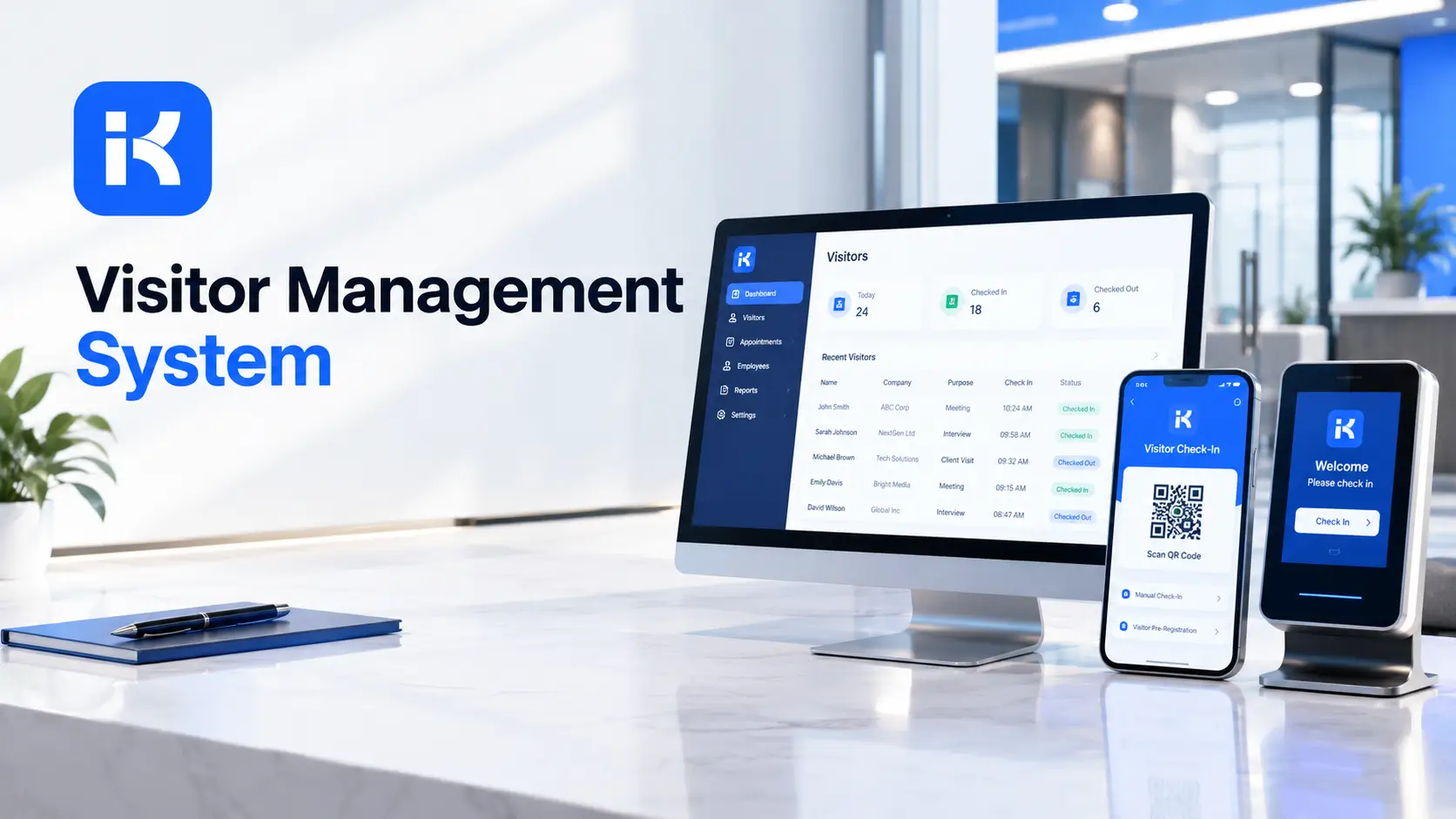
A visitor arrives at reception. The receptionist is on the phone. The sign-in sheet is on the desk, and it shows the last ten names. Anyone can read them. The host isn't told. Forty minutes later, someone remembers the visitor was never signed out.
A visitor management system fixes that. Visitors register, hosts get told, and every visit leaves a record. You don't need custom code. The KodeFlex AI app builder can draft a first version from a plain description. Here's how to build one, step by step.
What a visitor management system does
-
Pre-registration. Hosts invite visitors before they arrive.
-
Check-in. The visitor confirms who they are and who they're seeing.
-
Host notification. The host knows the moment the visitor is at reception.
-
Approval where needed. Some visits need security or manager approval.
-
Check-out. The visit is closed when the visitor leaves.
-
Visit log. A searchable record of who came, when and why.
Start with check-in, host notification and the log. Add the rest later.
Step by step: build your visitor management system
Step 1. Map the visit on one page
Write how a visit works today. Who invites? What does the visitor sign? Who greets them? Do contractors follow different rules? Honestly, twenty minutes here prevents a messy build.
Step 2. Describe the app in one prompt
KodeFlex is an AI development platform and app builder for enterprise collaboration. You describe a business need in plain language, and it generates a runnable app with the frontend, backend and approval flows. Then you refine it with visual tools for forms, approval paths, rules and branches. Turn your page into a prompt:
-
"A visitor management app. Employees pre-register visitors with name, company, date and purpose. At arrival, the visitor checks in and the host is notified. Security approves contractor visits. Every visit is logged with check-in and check-out times."
Rough is the point. You'll refine it next.
Step 3. Set up the data model
|
Record |
Key fields |
Notes |
|---|---|---|
|
Visitor |
Name, company, contact, visit count |
Reused on return visits. |
|
Visit |
Visitor, host, purpose, date, check-in time, check-out time, status |
The center of the app. |
|
Host |
Employee name, department, contact |
Receives notifications. |
|
Approval |
Visit, approver, decision, comment |
For restricted areas or contractors. |
|
Site or entrance |
Name, location, rules |
Useful with several buildings. |
Step 4. Build the check-in form
Make it quick. Name, company, host and purpose. Add a short acknowledgment if your site has safety or confidentiality rules. A visitor in a queue won't read a long form.
Step 5. Design the visit status path
-
Invited. The host pre-registers the visit.
-
Arrived. The visitor checks in.
-
Approved. Needed for restricted visits.
-
On site. The visit is in progress.
-
Completed. The visitor leaves and the visit closes.
Add branches for denied visits and for visitors who never arrive. Use visual workflow refinement to shape each path.
Step 6. Set permissions
-
Hosts see their own visits.
-
Reception sees today's visits for the site.
-
Security sees approvals and the full log.
-
Managers see reports.
Visitor data is personal. Decide who sees it, and for how long you keep it. Check your own privacy rules.
Step 7. Preview, test and release
KodeFlex offers live preview, debugging and one-click release and deployment. Use them. Run ten test visits, including a late check-out and a denied visit. Release to one site first.
Write a better prompt for your first version
|
Weak prompt |
Better prompt |
|---|---|
|
"Build a visitor app." |
"Employees pre-register visitors. Visitors check in at arrival. The host is notified. Every visit has a check-out time." |
|
"Add approvals." |
"Contractor visits need security approval before the visitor can enter." |
|
"Add reports." |
"Show visits by day, by site and visits with no check-out." |
Different visitors, different rules
Not every visitor needs the same path. Setting this up early saves rework.
|
Visitor type |
What they need |
Approval |
|---|---|---|
|
Guest or client |
Quick check-in and a host alert |
Usually none |
|
Interview candidate |
Check-in, host notification, a note for HR |
None, or HR confirmation |
|
Contractor |
Check-in, safety acknowledgment, area access |
Security or facilities |
|
Delivery |
A short log entry |
None |
|
VIP or restricted area |
Pre-approval and an escort |
Manager and security |
Privacy and safety basics
A visitor log holds personal data. Treat it with care. This isn't legal advice, so check your own rules with the right people.
-
Collect only what you need. Name, company, host and purpose cover most sites.
-
Limit who sees it. Reception sees today. Security sees the history.
-
Set a retention period. Delete old records on a schedule.
-
Know who is on site. In an emergency, someone must see the list quickly.
What to test before launch
-
A visitor with no pre-registration. Can reception add them fast?
-
A host who is away. Is there a backup contact?
-
A denied visit. Does the host get told?
-
A forgotten check-out. Does it show on the report?
-
A returning visitor. Does the app remember them?
Reports your team will use
|
Report |
Question it answers |
|---|---|
|
Today's expected visitors |
Who is coming, and who are they seeing? |
|
Currently on site |
Who is in the building right now? |
|
Visits with no check-out |
Who did we forget to close? |
|
Visits by host |
Who hosts the most visitors? |
|
Visit history by visitor |
Has this person been here before? |
How KodeFlex fits
KodeFlex builds internal business apps for enterprise collaboration. For visitors, that means forms, approval paths, statuses and records. The platform covers generation, design, preview, debugging, release and deployment, with version control, one-click release and a unified operations dashboard. It also has a private deployment option if you want data kept in-house. The KodeFlex home page has the full overview.
Pricing is by license. The KodeFlex pricing page lists lifetime licenses from $1,499 for the Team edition (50 users, 20 apps) and annual licenses from $3,699. Plans change, so check the page.
Where KodeFlex does not fit
Worth saying plainly. The public KodeFlex pages don't describe badge printing, QR codes, tablet kiosk mode, ID scanning or SMS alerts. If those matter, ask in a demo. A dedicated visitor product may fit better when you need hardware like badge printers or door integration.
A practical example: a small office with contractors
An office of eighty people gets regular contractors and guests. This is an illustration, not a case study.
-
Before. A paper sign-in sheet. No host alerts.
-
Build. Pre-registration by hosts, a check-in form at reception and a security approval for contractors.
-
Rollout. Reception tests for two weeks. Then hosts start pre-registering.
Nothing fancy. Every visit now has a host, a time in and a time out.
Common mistakes to avoid
-
A slow check-in form. Visitors give up and receptionists work around it.
-
No check-out. The log fills with visitors who 'never left'.
-
Public visitor lists. Never show other visitors' names on screen.
-
No retention rule. Decide how long to keep visitor records.
-
Ignoring evacuation needs. Make sure someone can see who is on site.
Checklist before you go live
-
One check-in form takes under a minute.
-
Hosts are notified on arrival.
-
Approvals work for restricted visits.
-
Permissions are tested with real accounts.
-
Hardware and alerts are confirmed with the vendor.
-
Ten test visits have gone through.
Want to try this at your own front desk? You can request a KodeFlex demo or download KodeFlex and test it yourself.
Frequently asked questions
What is a visitor management system?
It's a system that records who visits a site, who they're seeing, and when they arrive and leave. It usually covers pre-registration, check-in, host notification and a visit log.
Can I build a visitor management system without code?
For the workflow side, yes. Forms, host notifications, approvals and logs can be built with an AI app builder and visual tools. Hardware like badge printers needs separate confirmation.
What should a visitor log record?
Visitor name, company, host, purpose, date, check-in and check-out times. Add approval and site if you need them.
Does KodeFlex support badge printing or QR codes?
The public KodeFlex pages don't describe those features. Ask the KodeFlex team in a demo, using your real front desk setup.
How long should I keep visitor records?
That depends on your privacy rules and local law. Decide a retention period with the right people before you start collecting data.
Do I need a dedicated visitor management product?
If you need badge printers, ID scanning, door integration or kiosk hardware, a dedicated product may fit better. For forms, approvals and logs, a custom app can be enough.
How much does KodeFlex cost?
According to the KodeFlex pricing page, lifetime licenses start at $1,499 for the Team edition (50 users and 20 apps), and annual licenses start at $3,699. Check the page for current plans.
|
Ready to replace the paper sign-in sheet? Tell us how visitors arrive today and we will show you what it looks like as a working app. Request a KodeFlex demo to see it live, or explore the KodeFlex AI app builder first. |
Related Blogs
Best Zapier Alternatives for Business Automation