App Builder for Law Firms: Complete Guide
2 hours agoPUBLISHED INAi Development
 ali
ali 2026-10-10 14:37:00
 0
0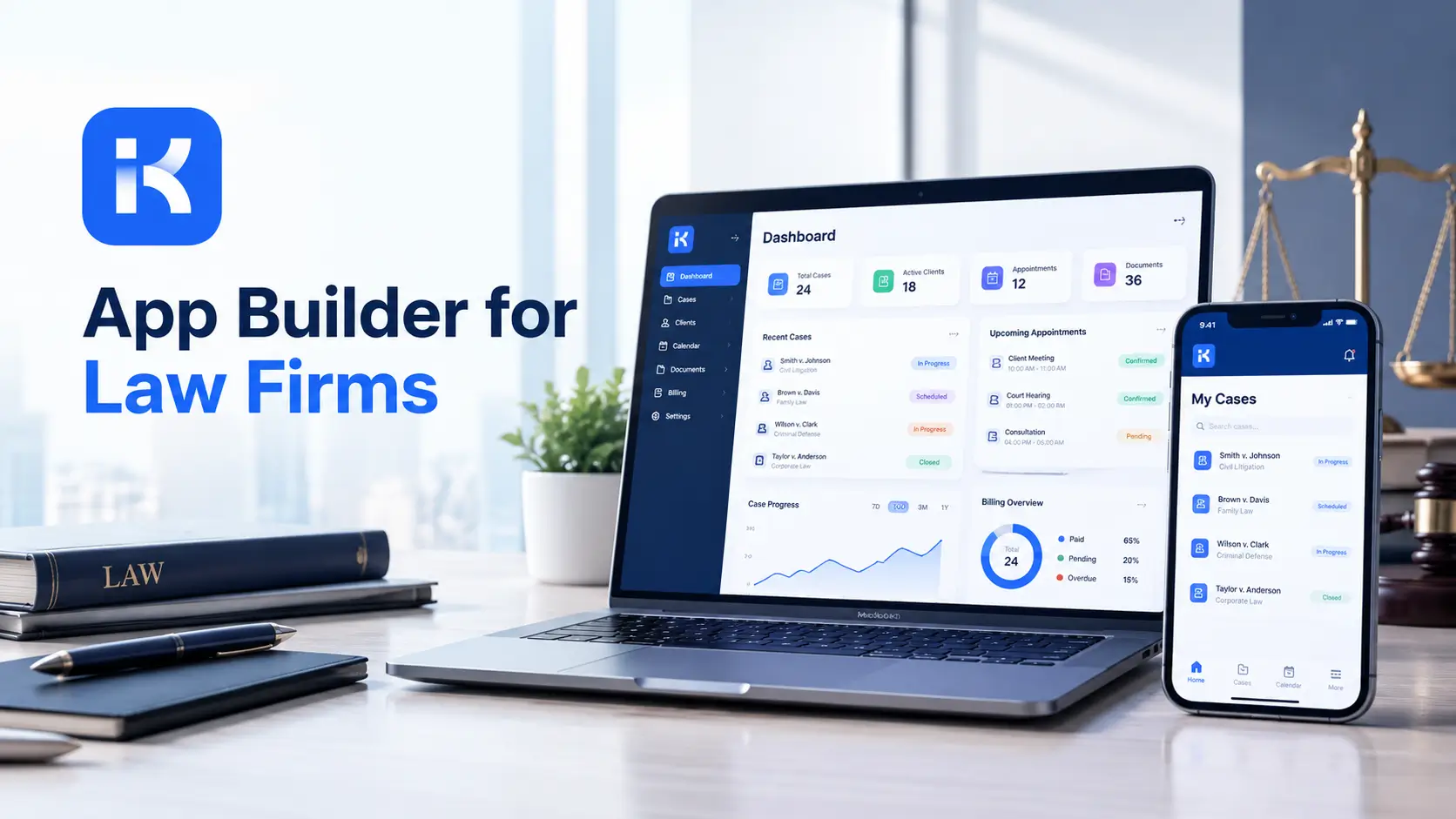
It is software that turns a plain description of a process into a working internal app. You type something like "a new matter request goes to the partner, then to conflicts, then to the file opening team." The tool builds the forms, the approval steps and the screens. Then you adjust.
Law firms have plenty of these small processes. Each one is too specific for a packaged product. Each one is too small to justify a developer. So they end up in email and spreadsheets.
Worth saying plainly: this is the layer around your core systems. It does not replace your practice management, billing or document system.
Where law firms use internal apps
Start with work that bounces between people. That is where things slip.
|
Use case |
What the app does |
Who touches it |
|---|---|---|
|
Case tracking |
Shows each matter, its stage, its owner and what comes next. |
Partner, associate, paralegal |
|
Client intake |
Captures new client details in a structured form and routes them for review. |
Reception, intake team, partner |
|
Document review and approval |
Sends a draft to the right reviewer, records comments and the final sign-off. |
Associate, partner, client contact |
|
Deadline reminders |
Notifies the owner and a backup before a date passes. |
Fee earner, paralegal, assistant |
|
Conflict check requests |
Collects party names, routes to whoever runs checks and logs the answer. |
Fee earner, conflicts clerk, partner |
Case tracking
Every matter has a stage. Opened, in review, waiting on the other side, filed, closed. A tracking app puts that in one list with an owner next to each line. The partner opens it Monday morning and sees what is stuck. No chasing.
Client intake
Speed matters here. A survey of law firms by Paper Street found that nearly two-thirds of potential new clients sign within 48 hours, and about a third sign the same day. It was a small survey, 44 firms, so treat it as a hint and not a rule. Still, a form that lands in a queue with a named owner beats a message in a shared inbox.
Document review and approval
A draft goes to an associate, then a partner, then maybe the client. In email, versions multiply. In an app, each step has a reviewer, a status and a comment box. Nobody asks "is this the final one?"
Deadline reminders
A missed date is the nightmare. An app can notify the owner and a backup as a date gets close. Your court calendar or docketing system stays the source of truth for the dates themselves. The app just nudges the people.
Conflict check requests
Someone enters the parties. The request goes to whoever runs the check. The answer is logged with a name and a time. It is one small process, and it is often the one done by email. A structured request means nothing gets skipped.
What to look for in an app builder for law firms
Plenty of tools promise this. A few things separate the useful ones from the demos.
-
Approval flows that handle real rules. A second reviewer for big matters. A rejection path. A backup when someone is away.
-
Roles and permissions. Not everyone should see every matter. Ask how access is set up, and see it working.
-
Editable output. If AI builds the first version, you must be able to change it without starting over.
-
Versioning. Intake questions change. You need to roll back when a tweak goes wrong.
-
Deployment choice. Ask whether the app can run on your own servers.
-
Honest limits. A vendor that tells you what it does not do is easier to trust.
Why private deployment matters for confidential data
A matter file can hold medical records, financial details, witness names and strategy notes. Many firms do not want that on a shared cloud they cannot see into. Some clients say so in their engagement terms.
So ask early where the app runs and where the data sits. It is a boring question. It is also the one that kills projects late, when the managing partner or the IT lead finally reads the proposal. KodeFlex says it supports private deployment.
One caution. A deployment option is not a compliance answer. Professional rules and client confidentiality duties differ by place and by practice area. Check them with the firm's own counsel or compliance team before you put real client data into any tool. This article is not legal or ethics advice.
How KodeFlex fits
KodeFlex is an AI development platform from EasySoft INC. According to the KodeFlex product page, you describe a business need in natural language and it generates a runnable application, with frontend, backend and approval flows included. You then refine forms, workflows and interactions visually.
|
Law firm need |
What the KodeFlex pages describe |
|---|---|
|
A first version fast |
One-prompt generation of the app, with live preview. |
|
Review and approval steps |
Workflow orchestration with approval paths, routing logic and branches. |
|
Changes over time |
Version control, one-click release and deployment. |
|
Several offices or practice groups |
Multiple instances from one app, with one-click upgrades, and enable or suspend controls. |
|
Data control |
Private deployment option. |
The KodeFlex home page lists internal business process automation among its core uses. On cost, the pricing page shows lifetime licenses from $1,499 (Team, 50 users, 20 apps) and annual licenses from $3,699. A Process Configuration Service is listed at $369 per person-day. Plans change, so check the page before you set a budget.
Where an app builder does not fit
Let's be straight. KodeFlex is built for internal business apps. It is not practice management software. It is not billing software, and it does not do trust accounting. It will not run your time entries, invoices or client money. Keep your practice management and accounting systems for that.
It is also not meant for consumer mobile apps or graphics-heavy products. A public client app in the App Store is a different project.
And some things we cannot claim from the public pages. The KodeFlex site does not detail role-based permissions, audit logging or specific integrations with legal systems. It claims no certifications. If those matter to you, and for a firm they usually do, ask for them on a demo. Do not assume.
An illustration: a conflict check request app
Picture a firm of 40 people where conflict checks go by email. Replies get buried. (This is an illustration, not a case study.)
-
Describe it. The operations manager writes a short brief. A fee earner submits party names and matter type. The conflicts clerk runs the check and records the result. A partner signs off on anything flagged.
-
Refine it. Flagged results need a second reviewer. One rule in the workflow editor.
-
Test it. Three fee earners use it for two weeks. They want a field for opposing counsel. It gets added in minutes.
-
Roll out. The wider firm joins. Each request has an owner, a status and a logged answer.
What changes? The clerk works from one list, not a mailbox. Fee earners stop asking for updates. Partners see what is waiting on them.
Checklist: before you build your first legal app
-
Pick one process with daily friction. Conflict requests and intake are safe starts.
-
Write down who submits, who reviews and who gets told.
-
List the rules, including exceptions and who covers for absences.
-
Ask your counsel or compliance team what the app may and may not hold.
-
Decide who sees which matters, by team and by role.
-
Decide where the app should run and where the data should sit.
-
Check how it connects to your practice management system, if it must.
-
Pilot with one small team for two weeks. Then widen it.
Ready to try it on your own workflow? Request a KodeFlex demo and bring your messiest process. You can also download KodeFlex to try it yourself.
Frequently asked questions
What is an app builder for law firms?
It is a tool that turns a plain description of a process into a working internal app. Firms use it for case tracking, client intake, document approval, deadline reminders and conflict check requests. It handles the work around your core systems, not the core systems themselves.
Can it replace our practice management software?
No. KodeFlex is for internal business apps. It is not practice management or billing software, and it does not do trust accounting. It sits next to those systems and not in place of them.
Do we need developers to use one?
Not for most team level apps. Someone who knows the process can describe it and adjust the result. For links to other systems you may still want technical help, so ask about that early.
Is it safe for confidential client data?
That is a question for your own counsel or compliance team, and we cannot answer it for you. The KodeFlex site mentions private deployment, which may help with data control. It does not claim any certification. Check your professional rules and client duties first.
Why does private deployment matter?
Matter files hold sensitive client details. Private deployment means the data stays in your own environment, not on a shared cloud. KodeFlex lists it as an option.
How long does it take to build a legal app?
The KodeFlex site says one prompt can produce a runnable app within minutes. A real rollout takes longer, because people need to test it and you will change things. Plan for a pilot of a couple of weeks.
How much does KodeFlex cost?
The pricing page lists lifetime licenses from $1,499 for the Team edition (50 users and 20 apps), and annual licenses from $3,699. Plans can change, so check the page for current numbers.
|
Want to see an app builder for law firms on your own process? Bring one workflow that keeps getting stuck between people. We will show you how it looks as a working app. Request a KodeFlex demo to see it live, or look at the product page first. |
Related Blogs
Workflow Management Software: How to Choose in 2026