How to Build a Fleet Management App Without Code
2 hours agoPUBLISHED INAI Development
 ali
ali 2026-10-26 14:12:00
 0
0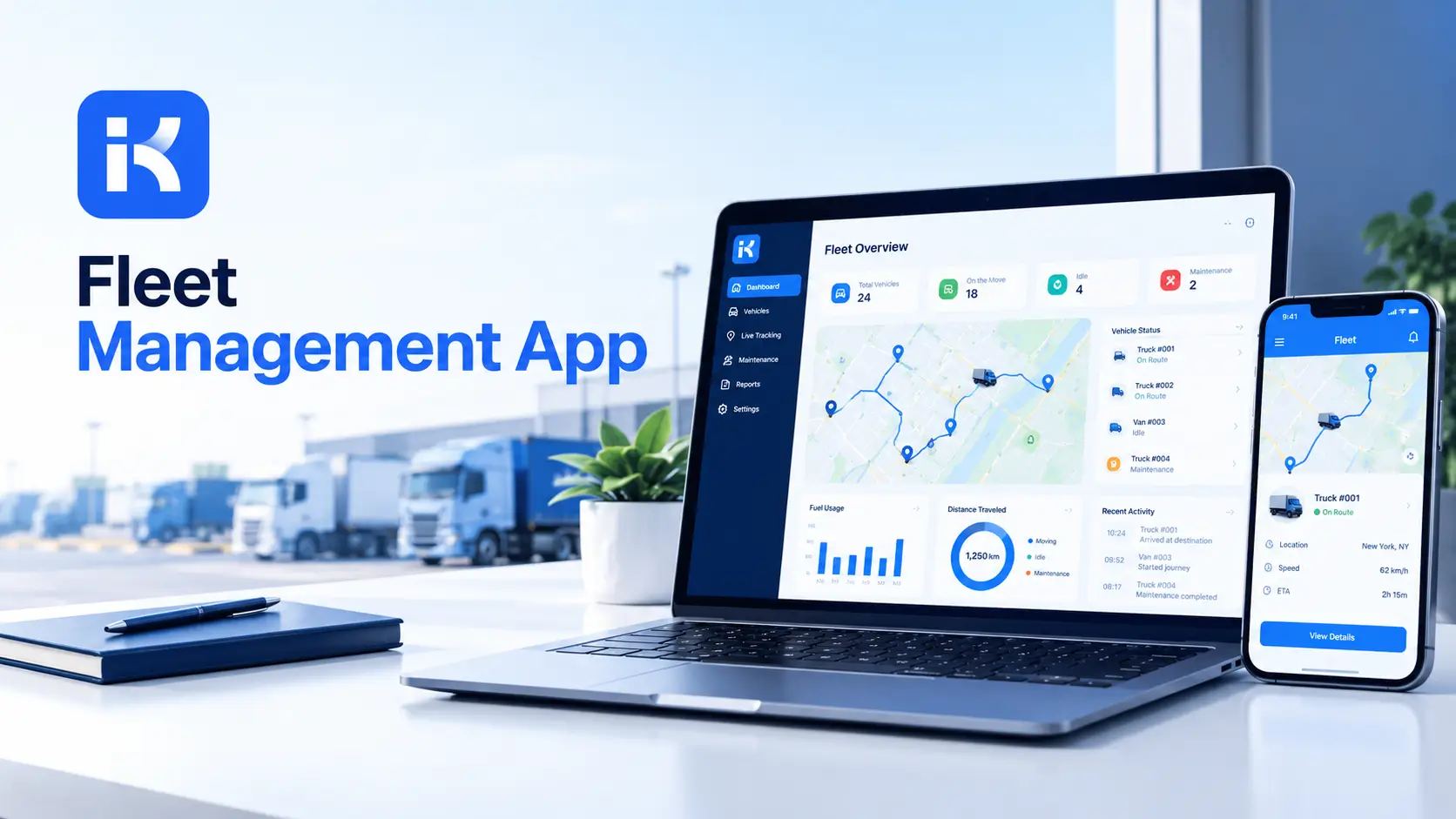
A van fails its inspection. Nobody knew the service was overdue. The driver is told on the morning of a big delivery. Another vehicle is borrowed. The schedule goes out the window.
A fleet management app prevents that. Every vehicle has a record, a schedule and an owner. You don't need custom code. The KodeFlex AI app builder can draft the first version from a plain description. Here's how to build one, step by step.
What a fleet management app does
-
Vehicle records. Registration, type, assigned site, status and key dates.
-
Driver assignments. Who has which vehicle, and when.
-
Maintenance. Service schedules, repairs and history per vehicle.
-
Defect reports. Drivers report issues and a manager decides what to do.
-
Documents and dates. Insurance, inspection and license renewals.
-
Reports. What is due, what is out of service, what costs the most.
Keep the first version small. Records, assignments and maintenance cover most of the value.
Step by step: build your fleet management app
Step 1. List your vehicles and your process
Write down the vehicles you run and how things work today. Who assigns vehicles? Who reports problems? Who decides on repairs? Honestly, twenty minutes here saves days later.
Step 2. Describe the app in one prompt
KodeFlex is an AI development platform and app builder for enterprise collaboration. You describe a business need in plain language, and it generates a runnable app with the frontend, backend and approval flows. Then you refine it with visual tools for forms, approval paths, rules and branches. Turn your page into a prompt:
-
"A fleet management app. Each vehicle has a registration, type, status and service due date. Dispatchers assign vehicles to drivers. Drivers report defects with a description and photo. A manager approves repairs above a set cost. Show vehicles with service or inspection due in 30 days."
Step 3. Set up the data model
|
Record |
Key fields |
Notes |
|---|---|---|
|
Vehicle |
Registration, type, site, status, service due, inspection due, insurance due |
One record per vehicle. |
|
Driver |
Name, license class, license expiry, contact |
Used for assignment. |
|
Assignment |
Vehicle, driver, start, end, purpose |
Shows who has what. |
|
Defect report |
Vehicle, driver, description, severity, status |
Starts a repair. |
|
Maintenance record |
Vehicle, date, work done, cost, supplier |
Builds history. |
Step 4. Build the assignment and defect forms
Keep both short. For assignments: vehicle, driver, dates, purpose. For defects: vehicle, what is wrong, severity and a photo field. Use dropdowns where you can.
Step 5. Design the status path
-
Available. Ready to assign.
-
Assigned. In use.
-
In maintenance. Being serviced or repaired.
-
Out of service. Not usable until fixed.
Add a branch for repairs above a set cost, which need approval before work starts. Use visual workflow refinement to shape each path.
Step 6. Add maintenance and renewal dates
Store service, inspection and insurance dates for each vehicle. Add a view of items due in the next 30, 60 and 90 days. Start with the vehicles that cost the most when they fail.
Step 7. Set permissions
-
Drivers see their own assignments and submit defects.
-
Dispatchers assign vehicles.
-
Managers approve repairs and see reports.
-
Finance sees costs.
Step 8. Preview, test and release
KodeFlex offers live preview, debugging and one-click release and deployment. Use them. Load ten real vehicles, run two defect reports through approval and ask dispatchers what is missing. Release to one depot first.
Renewals and documents to track
|
Item |
Why it matters |
Who owns it |
|---|---|---|
|
Service and maintenance |
Prevents breakdowns and overdue work |
Fleet manager |
|
Vehicle inspection |
A missed date can take a vehicle off the road |
Fleet manager |
|
Insurance |
Coverage gaps are costly |
Finance or admin |
|
Driver license |
Drivers need valid classes |
HR or fleet manager |
|
Registration and permits |
Needed to operate legally |
Admin |
Rules differ by country and vehicle type. Check what applies to you with the right people.
What to test before launch
-
A defect marked severe. Does the vehicle go out of service until it is fixed?
-
A repair above the cost limit. Does the manager approval appear?
-
A service due next week. Does it show on the due view?
-
A driver without access. Do they see only their own items?
-
A vehicle swapped mid-day. Can the dispatcher reassign it quickly?
Reports your team will use
|
Report |
Question it answers |
|---|---|
|
Service and inspection due |
What needs booking now? |
|
Out of service |
What can't we use today? |
|
Cost by vehicle |
Which vehicles cost the most? |
|
Defects by type |
What keeps going wrong? |
|
Assignments by driver |
Who is using what? |
Write a better prompt for your first version
|
Weak prompt |
Better prompt |
|---|---|
|
"Build a fleet app." |
"Each vehicle has a status and service due date. Dispatchers assign vehicles to drivers. Drivers report defects with a photo." |
|
"Add reminders." |
"Show vehicles with inspection or insurance due in the next 60 days, with the responsible person." |
|
"Track costs." |
"Record each repair with date, cost and supplier. Show total cost by vehicle." |
How KodeFlex fits
The platform covers generation, design, preview, debugging, release and deployment, with version control, one-click release and a unified operations dashboard. It also has a private deployment option if you want data kept in-house. The KodeFlex home page has the full overview.
Pricing is by license. The KodeFlex pricing page lists lifetime licenses from $1,499 for the Team edition (50 users, 20 apps) and annual licenses from $3,699. Plans change, so check the page.
Where KodeFlex does not fit
Worth saying plainly. KodeFlex builds internal business apps for records, approvals and tracking. The public pages don't describe GPS tracking, telematics, fuel card links or route planning. A dedicated fleet product may suit you better if live vehicle location or driver behavior data matters. Drivers also work away from a desk, so ask in a demo about mobile use and offline behavior.
A practical example: a small delivery business
A business runs twelve vans. This is an illustration, not a case study.
-
Before. A spreadsheet of vehicles. Defects by phone. Service dates in a notebook.
-
Build. Vehicle records, an assignment form, a defect form and service dates.
-
Test. One depot and three drivers for two weeks.
-
Result. Every vehicle has a status. Due dates show up before they're missed.
Common mistakes to avoid
-
Long driver forms. Drivers are busy. Keep them short.
-
No owner per vehicle. Someone must be responsible for each service date.
-
Skipping the repair approval path. Costs creep without it.
-
Tracking too much at once. Start with records, assignments and dates.
-
Ignoring mobile needs. Test on a phone.
Checklist before you go live
-
Vehicles are listed with key dates.
-
Forms are short and tested on a phone.
-
Repair approval matches your real process.
-
Permissions are tested with real accounts.
-
Mobile and alerts are confirmed with the vendor.
-
Ten real vehicles have been loaded and checked.
Want to try this on your own fleet? You can request a KodeFlex demo or download KodeFlex and test it yourself.
Frequently asked questions
What is a fleet management app?
It's an app that tracks vehicles, drivers, assignments, maintenance and key dates. Some also include GPS and telematics, which a general app builder usually doesn't.
Can I build a fleet management app without code?
For records, assignments, defect reports and maintenance schedules, yes. GPS tracking and telematics generally need dedicated tools.
What should a fleet app track?
Vehicles, drivers, assignments, defect reports, maintenance records and renewal dates for service, inspection and insurance.
Does KodeFlex support GPS tracking?
The public KodeFlex pages don't describe GPS or telematics. Ask the KodeFlex team in a demo if you need them.
Can drivers use it on their phones?
The public pages don't document mobile or offline use. Ask in a demo, using your real driving scenario.
Do I need dedicated fleet software instead?
If live location, route planning or driver behavior data are central, a dedicated product may fit better. For records, approvals and schedules, a custom app can be enough.
How much does KodeFlex cost?
According to the KodeFlex pricing page, lifetime licenses start at $1,499 for the Team edition (50 users and 20 apps), and annual licenses start at $3,699. Check the page for current plans.
|
Ready to get your fleet out of the spreadsheet? Tell us how your vehicles are managed today and we will show you what it looks like as a working app. Request a KodeFlex demo to see it live, or explore the KodeFlex AI app builder first. |
Related Blogs

What Is Hyperautomation? A Plain-English Guide