How to Build a Warehouse Management App
September 2, 2026PUBLISHED INAI Development
 ali
ali 2026-09-02 19:28:00
 0
0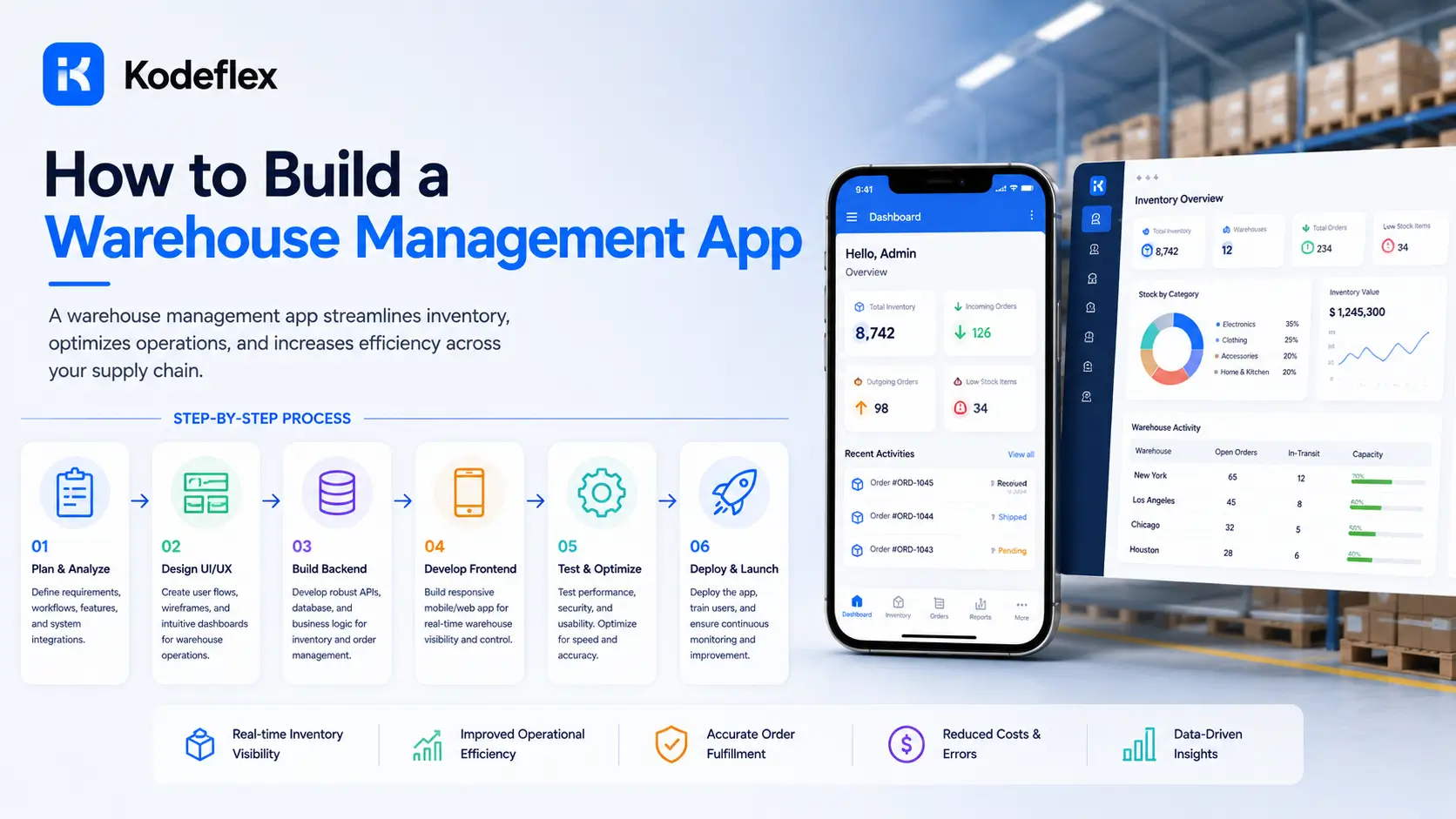
Warehouse management covers more ground than basic inventory tracking. It's not just knowing how many units of something you have, it's knowing where in the building it physically sits, what's happening to it right now (being received, put away, picked, packed, shipped), and who's responsible for that step. A single warehouse, even a small one, generates a real amount of process that a spreadsheet or a simple stock-count app doesn't capture.
What This Actually Needs to Cover
Location tracking (which zone, aisle, or bin an item sits in, not just a total quantity), a receiving workflow for inbound shipments, a pick-pack-ship workflow for outbound orders, and visibility into what stage each order is at right now. Get these four right and most day-to-day warehouse coordination problems go away.
Setting Up Location Structure First
Before generating anything, map out how your warehouse is actually organized, zones, aisles, shelves, bins, whatever level of granularity matters for how your team finds things. This becomes the foundation everything else is built on, and it's worth getting genuinely right at the start, since restructuring location data after the app is in daily use is far more disruptive than planning it upfront.
Generating the Core App
Describe it to KodeFlex in plain language, something like "a warehouse app tracking items by location, with a receiving workflow for inbound shipments and a picking workflow for outbound orders, each with its own status." The platform generates a working structure: location-tagged inventory, a receiving process, and a picking process, built on the workflow engine so each order's status actually reflects where it is in the physical process, not just a generic "pending" label.
The Receiving Workflow
When a shipment arrives, someone needs to log what came in, verify it against what was expected, and assign it to a location. Build this as a structured flow, expected quantity vs received quantity, a discrepancy flag if they don't match, and a location assignment step, rather than a single "mark as received" button that skips the verification that actually catches shipping errors.
The Pick-Pack-Ship Workflow
Outbound orders move through their own sequence: picked (item pulled from its location), packed (ready to ship), shipped (out the door). Each stage should update the item's status and, where relevant, notify whoever's responsible for the next stage. This is where location data pays off directly, a picker with an accurate location for each item moves faster than one searching the warehouse from memory.
Handling Discrepancies Without Losing Track
Physical counts will eventually not match system counts, damaged goods, misplaced items, counting errors. Build in a simple adjustment flow with a reason field, so discrepancies get logged rather than silently overwritten, and patterns become visible over time (a specific location with recurring discrepancies is worth investigating). Use instance management to test changes to workflow logic on a staging version before they affect a warehouse team actively working the floor.
Where This Fits vs a Full WMS
This approach works well for a single warehouse or a small number of locations with a fairly standard receiving and shipping flow. It's a weaker fit for multi-warehouse operations needing complex slotting optimization, integration with automated picking hardware, or carrier-rate shopping at scale, that's where dedicated warehouse management systems have already built out real depth.
Common Questions
Can the app track items across multiple warehouse locations, not just one building?
Yes, though for multiple physical warehouses with complex cross-location transfers, evaluate whether that complexity is better served by a dedicated multi-site WMS.
Can pickers see exactly where an item is located?
Yes, location data tied to each item is a core part of the structure, meant to speed up picking rather than requiring memory or manual lookup.
How are receiving discrepancies handled?
Through a structured adjustment flow with a required reason, so mismatches get logged and tracked rather than silently corrected with no record.
How long does this take to set up?
Most teams have a working draft within the same session, with location structure and workflow details refined shortly after based on real warehouse layout.
Does this integrate with barcode scanners?
That depends on your specific hardware and integration needs. High-volume, scanner-heavy operations may be better served by a dedicated WMS built around that hardware.
Want to map your actual warehouse layout into a working app?
Visit KodeFlex or request a demo and walk through it together.
Related Blogs
How to Build a Recruitment Tracker Without Code