How to Build an Incident Reporting App
2 hours agoPUBLISHED INAI Development
 ali
ali 2026-10-28 14:24:00
 0
0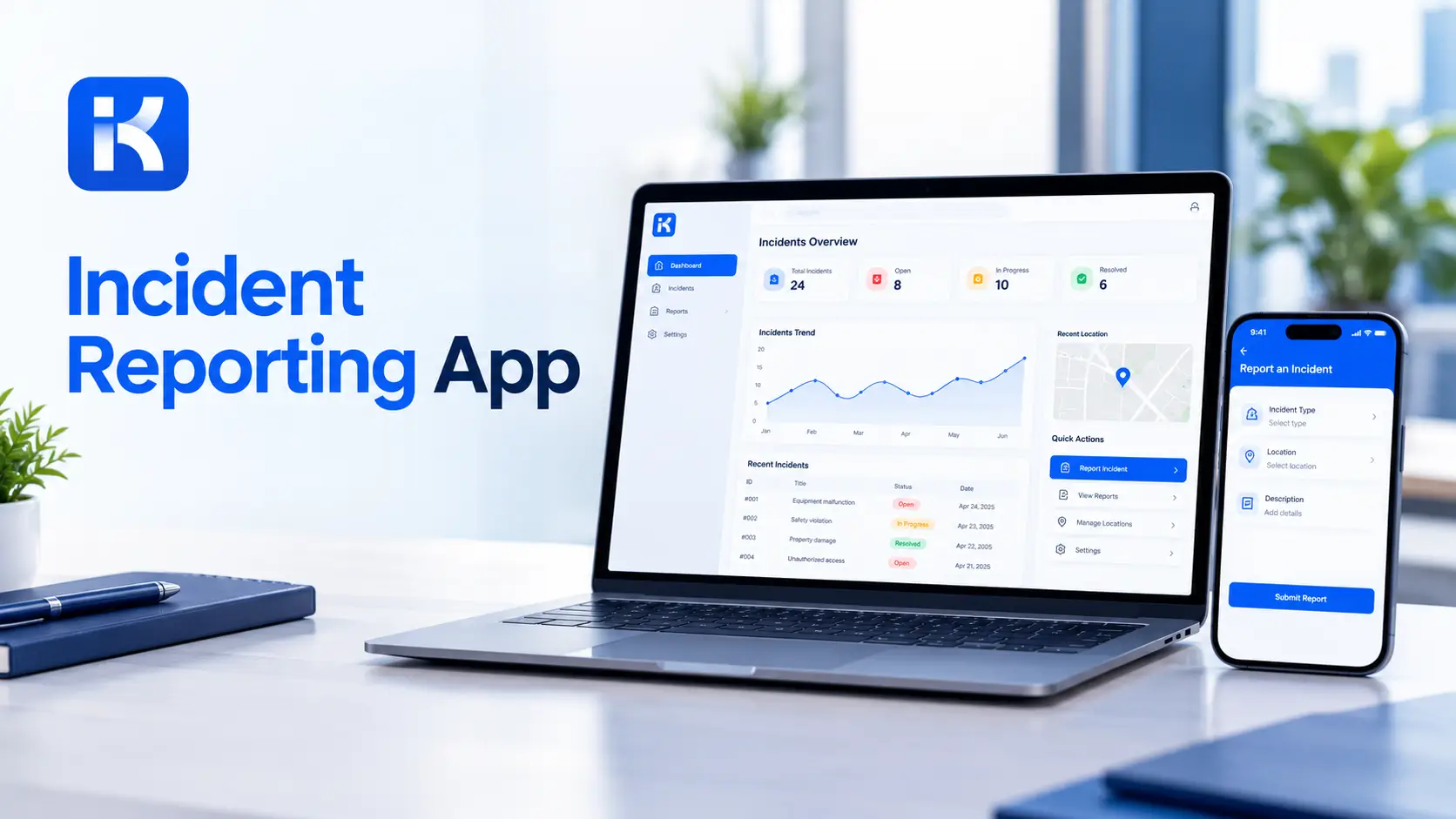
A worker slips on a wet floor near the loading bay. She's fine, but shaken. The supervisor writes it on a scrap of paper. By Friday the paper is gone. Two weeks later, someone else gets hurt in the same spot.
An incident reporting app prevents that. Reports take a minute to submit, reach the right person and leave a record. You don't need custom code. The visual workflow tools in an AI app builder make routing and follow-up easy to shape. Here's how to build one, step by step. This is general guidance, not safety or legal advice.
What an incident reporting app does
-
Quick reporting. A short form anyone can fill in.
-
Severity routing. Minor items go to a supervisor. Serious ones go to a safety lead at once.
-
Investigation. An owner, notes, causes and findings.
-
Corrective actions. Tasks with owners and due dates.
-
Audit trail. Who did what and when.
-
Trends. Where and why incidents happen.
Start with the report form, routing and actions. Add the rest later.
Step by step: build your incident reporting app
Step 1. Agree the types and severity levels
List the incident types you handle: injury, near miss, property damage, security, environmental. Then agree three or four severity levels. Your safety team knows what your rules require. Don't guess.
Step 2. Describe the app in one prompt
KodeFlex is an AI development platform and app builder for enterprise collaboration. You describe a business need in plain language, and it generates a runnable app with the frontend, backend and approval flows. Then you refine it with visual tools for forms, approval paths, rules and branches. Turn your page into a prompt:
-
"An incident reporting app. Anyone can report an incident with type, location, date, description and severity. High severity incidents go to the safety lead. An investigator is assigned and records causes and findings. Corrective actions have owners and due dates."
Step 3. Set up the data model
|
Record |
Key fields |
Notes |
|---|---|---|
|
Incident |
Type, location, date, description, severity, reporter, status |
The center of the app. |
|
Investigation |
Incident, investigator, causes, findings, date |
Created for incidents that need it. |
|
Corrective action |
Incident, action, owner, due date, status |
Follow-up tasks. |
|
Location |
Site, area, contact |
Used for routing and trends. |
|
Review |
Incident, reviewer, decision, comment |
Sign-off before closure. |
Step 4. Build a short report form
Speed matters. Keep required fields to type, location, date and a short description. Add severity and an optional photo field. Use dropdowns where you can. A long form means incidents go unreported.
Step 5. Design routing and the status path
-
Reported. The form is submitted.
-
Triage. A supervisor checks severity and type.
-
Investigating. An owner looks into causes.
-
Actions open. Corrective actions are in progress.
-
Closed. A reviewer signs off.
Use visual workflow refinement to add branches. High severity skips straight to the safety lead. Near misses may follow a lighter path.
Step 6. Track corrective actions
Every finding should create an action with an owner and a due date. A view of overdue actions keeps follow-up honest.
Step 7. Set permissions
-
Everyone can submit and see their own reports.
-
Supervisors see incidents in their area.
-
Safety leads see everything.
-
Managers see summaries.
Incident records can include personal and sensitive details. Decide who sees what before you launch.
Step 8. Preview, test and release
KodeFlex offers live preview, debugging and one-click release and deployment. Use them. Run test incidents of each severity through the app. Release to one site first.
Write a better prompt for your first version
|
Weak prompt |
Better prompt |
|---|---|
|
"Build an incident app." |
"Anyone can report an incident with type, location and severity. High severity goes to the safety lead. Investigations create corrective actions." |
|
"Add routing." |
"Route injuries to the safety lead and property damage to facilities." |
|
"Add reports." |
"Show incidents by site, type and month, and overdue corrective actions." |
Reports your team will use
|
Report |
Question it answers |
|---|---|
|
Incidents by type and site |
Where do problems cluster? |
|
Open investigations |
What is waiting on someone? |
|
Overdue actions |
What follow-up is late? |
|
Near misses by month |
Are we catching issues early? |
|
Time to close |
How long do incidents stay open? |
How KodeFlex fits
The platform covers generation, design, preview, debugging, release and deployment, with version control, one-click release and a unified operations dashboard. It also has a private deployment option if you want data kept in-house. The KodeFlex home page has the full overview.
Pricing is by license. The KodeFlex pricing page lists lifetime licenses from $1,499 for the Team edition (50 users, 20 apps) and annual licenses from $3,699. Plans change, so check the page.
Where KodeFlex does not fit
Worth saying plainly. The public KodeFlex pages don't describe mobile apps, offline mode, photo capture or automatic email and SMS alerts. For incident reporting, people often report from the floor with a phone, so test this in a demo. KodeFlex also isn't a regulatory reporting product. It records your process. It doesn't tell you what you must report. Check that with your safety and compliance teams.
A practical example: a warehouse
A warehouse with 120 staff wants better incident follow-up. This is an illustration, not a case study.
-
Before. Paper forms and verbal reports. Follow-up depends on memory.
-
Build. A short report form, severity routing, an investigation record and an action list.
-
Test. One shift for two weeks with test incidents.
-
Result. Every report has an owner, and every action has a due date.
Common mistakes to avoid
-
A long form. People skip reporting.
-
Blaming tone. If reporting feels like a punishment, fewer near misses get reported.
-
No follow-up. A report with no action teaches people not to bother.
-
Loose access. Incident data can be sensitive.
-
No review. Check trends monthly.
What to test before launch
-
A high severity report. Does the safety lead see it at once?
-
An anonymous or sensitive report, if you allow it. Is access limited?
-
A corrective action past its date. Does it show as overdue?
-
A reporter on a phone. Is the form usable?
-
A closed incident. Is the history kept?
Checklist before you go live
-
Types and severity levels are agreed with your safety team.
-
The form takes about a minute.
-
Routing matches your real escalation path.
-
Permissions are tested with real accounts.
-
Mobile and alerts are confirmed with the vendor.
-
Test incidents have run through the app.
Want to try this at your own site? You can request a KodeFlex demo or download KodeFlex and test it yourself.
Frequently asked questions
What is an incident reporting app?
It's an app that lets people report incidents and near misses, routes them by severity, tracks investigations and corrective actions, and keeps a record.
Can I build an incident reporting app without code?
For the workflow side, yes. Report forms, routing, investigations, actions and reports can be built with an AI app builder and visual tools. Mobile and alert needs should be confirmed first.
What should an incident report include?
Type, location, date and time, description and severity. Add reporter, photos and people involved if your process needs them.
What is a near miss?
An event that could have caused harm but didn't. Tracking near misses helps you fix problems before someone gets hurt.
Does KodeFlex work on mobile or offline?
The public KodeFlex pages don't document mobile or offline use. Ask the KodeFlex team in a demo, using your real situation.
Does an app make me compliant?
No. It records your process. What you must report and how depends on your rules, so check with your safety and compliance teams.
How much does KodeFlex cost?
According to the KodeFlex pricing page, lifetime licenses start at $1,499 for the Team edition (50 users and 20 apps), and annual licenses start at $3,699. Check the page for current plans.
|
Ready to make incident follow-up reliable? Tell us how incidents are reported today and we will show you what it looks like as a working app. Request a KodeFlex demo to see it live, or explore the visual workflow tools first. |
Related Blogs

Best OutSystems Alternatives for Enterprise Teams