Visual Workflow Automation: What It Is and How To Build One
September 15, 2026PUBLISHED INAI Development
 ali
ali 2026-09-15 18:30:00
 0
0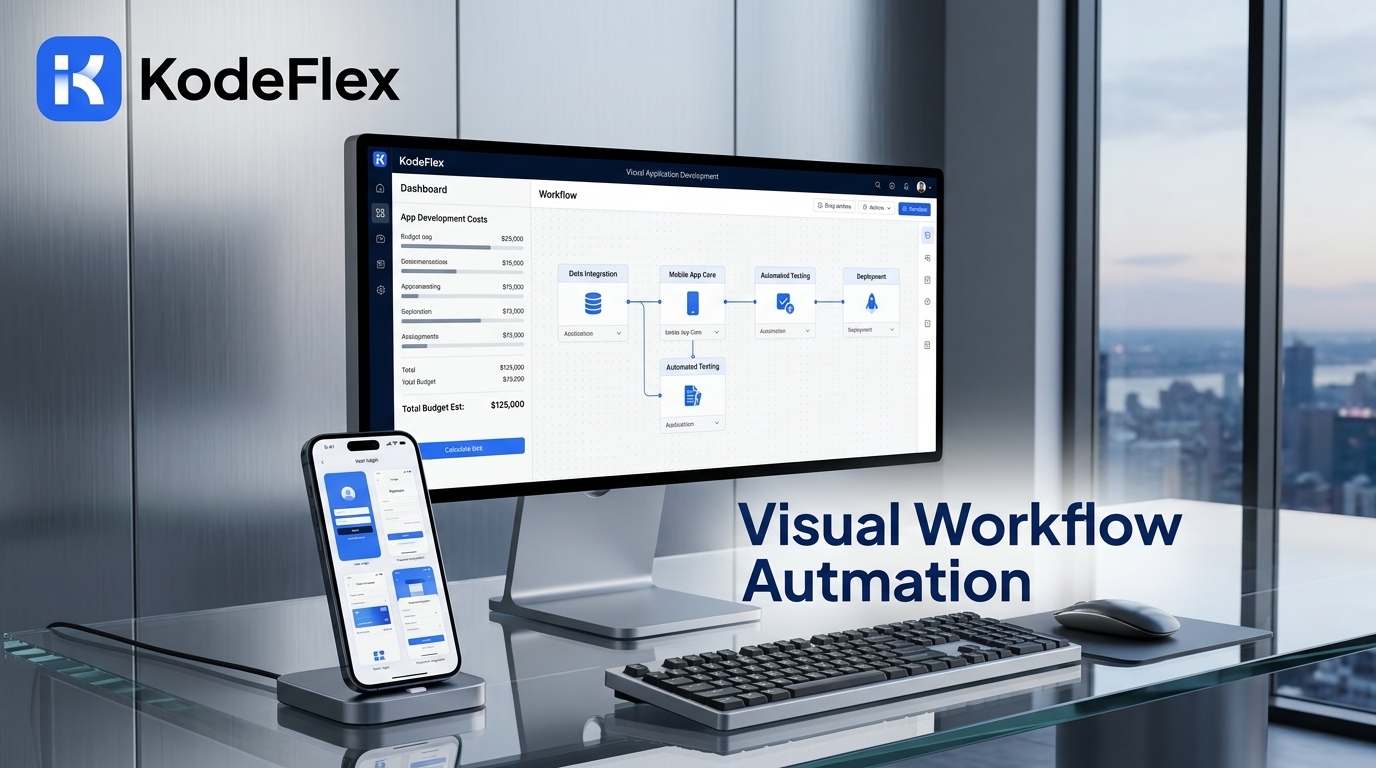
Visual workflow automation lets you design a business process by arranging steps on a flowchart style canvas instead of writing rules in a settings menu or code in an editor. You see the whole process laid out in front of you, start to finish, which makes both building it and explaining it to a colleague far easier than describing a set of abstract rules.
What Does This Actually Look Like in Practice?
This approach represents each step of a business process as a connected block on a canvas, so the entire sequence is visible at a glance rather than buried in a list of settings.
The Core Elements You’ll Work With
-
A trigger, the event that starts the workflow, like a form submission or a status change
-
A series of steps, each representing an action like sending a notification or updating a record
-
Conditional branches, where the workflow splits based on a rule, like routing high value requests differently than routine ones
-
An end point, where the process either completes or hands off to a human for final approval
How Do You Actually Build Your First One?
Start small, with a single process you already understand well, rather than trying to map your entire operation at once.
A Practical First Build
-
Pick one recurring process that currently happens manually and the same way every time, like a reimbursement approval
-
Map out every step on paper first, including who approves what and in which order
-
Add your trigger, usually a form submission or a new record being created
-
Build each step as its own block, connecting them in the order the process actually follows
-
Add a conditional branch anywhere the process splits, like routing amounts above a certain threshold to a second approver
-
Test it with a real example before turning it loose on actual requests
A concrete example worth picturing: a reimbursement workflow triggers when an employee submits an expense form, routes automatically to their direct manager for anything under a set amount, adds a finance review step for anything above it, then notifies the employee once it’s approved. Laid out visually, that whole sequence is readable in seconds, compared to a paragraph of written rules.
What Makes This Approach Different From Writing Rules Manually?
The visual format changes more than just appearance, it changes how errors get caught and how easily someone else can understand the process later.
-
Mistakes in sequencing are easier to spot visually than buried in a list of conditional statements
-
A new team member can understand an existing workflow by looking at the diagram, without reading documentation line by line
-
Changes are easier to make safely, since you can see exactly what a new step connects to before adding it
-
Testing individual branches is more straightforward, since each path through the flowchart is a distinct, visible route
Where Does Visual Workflow Automation Fit Inside a Larger System?
A single flowchart usually isn’t the whole picture. It’s one piece connected to a broader application with forms, a database, and user roles behind it.
This is where a proper visual workflow builder becomes genuinely useful rather than just a diagramming tool. Instead of drawing a flowchart that describes a process happening somewhere else, a real visual workflow builder actually executes each step, moving real data, sending real notifications, and enforcing real approval logic as records move through it.
What Are Common Mistakes When Building One?
A handful of issues show up repeatedly among teams building their first one.
-
Trying to map an entire department’s operations in one giant workflow instead of starting with a single, well understood process
-
Forgetting to plan for exceptions, like what happens when an approver is unavailable or a step fails partway through
-
Skipping a proper test with real data before rolling the workflow out to the whole team
-
Building the workflow around how the process happens to work today, instead of asking whether that process actually still makes sense
What Kinds of Processes Work Best With This Approach?
Not every business process benefits equally from being mapped out this way. Some genuinely thrive on it, others don’t gain much.
Strong Candidates
-
Approval chains involving more than one person or department, where sequencing actually matters
-
Any process with real exceptions or conditional routing, like different handling for different request types
-
Onboarding sequences, whether for a new employee, a new customer, or a new vendor
-
Processes that currently live only in one person’s head, since mapping them visually makes that knowledge shareable
Weaker Candidates
-
A single, simple action with no branching or approval step, where a basic automation trigger is simpler and faster to set up
-
A process that changes so frequently that maintaining a diagram becomes more overhead than it saves
A hiring team mapping their interview process this way often discovers steps nobody had written down clearly before, like exactly who needs to sign off before an offer goes out. That discovery alone, separate from any automation benefit, tends to be worth the exercise.
How Do You Keep a Workflow Accurate Once It’s Live?
A workflow that gets built once and never revisited tends to drift out of sync with how the team actually works within a few months.
-
Review it whenever the underlying process changes, not just when something breaks
-
Assign one person as the owner responsible for keeping it updated
-
Check periodically whether every branch is still actually being used, since unused paths tend to accumulate over time
-
Ask new team members to walk through it and flag anything confusing, since fresh eyes catch drift faster than people who built it
Frequently Asked Questions
Do I need technical skills to build one of these?
Not usually. Most tools are built specifically so someone who understands the business process, not a developer, can design and maintain it.
How is visual workflow automation different from a simple automation tool like Zapier?
Simple automation tools connect apps and trigger single actions. Visual workflow automation usually manages a full multi step process with branching logic, approvals, and a persistent state as a record moves through it.
Can this kind of workflow include a step where a human has to approve something?
Yes, and this is one of the most common use cases. Most business workflows include at least one point where a person needs to review and approve before the process continues.
What happens if a step in the workflow fails partway through?
Well designed workflows include error handling for this, either retrying the step automatically or routing to a person for manual review, rather than silently stalling.
Is this kind of automation only useful for large companies?
No, small teams benefit just as much, often more, since a clear visual process reduces the confusion that comes from tribal knowledge living in one person’s head.
Building an app with real workflow logic behind it, not just a diagram?
See how KodeFlex generates working forms and workflow logic from a plain language description, or request a demo to see it built around your actual process.
Related Blogs
App Development Cost 2026: Custom, No-Code and AI Compared