What Is a Visual Workflow Builder?
August 29, 2026PUBLISHED INAI Development
 ali
ali 2026-08-29 17:51:00
 0
0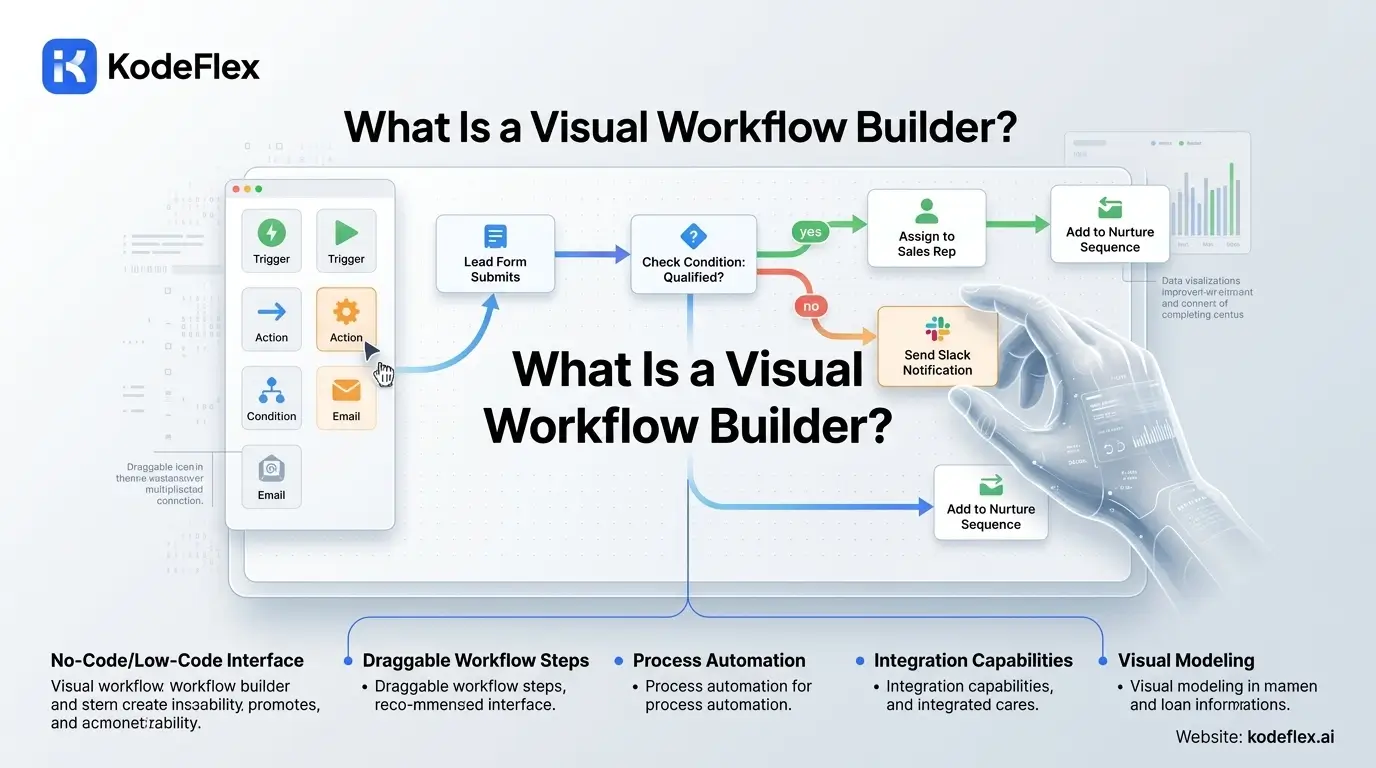
A visual workflow builder lets you define how a process moves, who does what, in what order, under what conditions, by arranging and connecting elements on a screen instead of writing code. Steps become boxes, decisions become branches, and the flow of a process becomes something you can actually see and follow, rather than logic buried in lines of text only a developer can read.
What You're Actually Looking At
Most visual workflow builders share a similar visual language: a starting trigger (a form submission, a new record, a scheduled time), steps connected by arrows showing the order things happen in, decision points where the flow branches based on a condition (if the amount is over $500, go here, otherwise go there), and an end state (approved, rejected, completed). Reading a well-built visual workflow should feel closer to reading a flowchart than reading code, that's the entire point of the format.
Why Visual Beats Code for This Specific Job
Business logic, especially approval and routing logic, changes more often than people expect, a threshold gets adjusted, a new approver gets added, a step gets removed because it's no longer needed. Code representing that logic requires a developer to change safely. A visual representation of the same logic can often be adjusted directly by whoever owns the process, dragging a new branch in, changing a condition, without touching anything that looks like programming. That accessibility is the actual value, not just aesthetics.
What Separates a Good One From a Basic One
A basic visual builder handles simple, linear flows well but struggles once real complexity shows up, multiple conditions, parallel branches, loops back to an earlier step. A more capable one supports genuine branching logic, multiple conditions evaluated together, and connects the visual flow to real data and actions, not just a diagram that looks correct but doesn't actually do anything when a request comes in. The difference matters most exactly when a process stops being simple.
How This Shows Up in KodeFlex
In KodeFlex, the visual workflow layer isn't the starting point, it's what you get after describing the app you need. The AI generates the initial workflow structure from a plain-language description, and the visual canvas is where you refine it, adding a branch, adjusting an approval threshold, reordering steps, all without writing code. That combination, AI-generated starting point plus visual refinement, tends to get a working process running faster than starting from a completely blank visual canvas.
What to Check Before Relying on One
A few practical questions matter more than how polished the interface looks: Can it actually handle conditional branching, not just a straight line of steps? Does the visual flow connect to real actions, sending a notification, updating a status, or is it purely illustrative? And can someone without technical training actually make a change confidently, or does it still require a specialist to touch safely?
Frequently Asked Questions
Do I need any technical background to use a visual workflow builder?
Generally no, that's the point of the format. Basic changes, adjusting a condition, adding a step, are designed to be accessible without programming knowledge.
Can a visual workflow builder handle complex, branching logic?
It depends on the specific tool. Basic builders handle simple linear flows well; more capable ones support genuine multi-condition branching and parallel paths.
Is a visual workflow the same as a flowchart?
Visually similar, but a real workflow builder's diagram is functional, it actually drives what happens when a request comes in, not just an illustration of the process.
How is KodeFlex's visual workflow different from starting with a blank canvas?
KodeFlex generates the initial workflow from a description first, so the visual canvas is used for refinement rather than building every step from nothing.
Can changes made visually break the underlying app?
Well-built visual workflow tools are designed to prevent invalid configurations, though it's still worth testing changes on a staging instance before they affect live users.
Want to see a visual workflow built from a description?
Visit KodeFlex or request a demo and describe the process you need.
Related Blogs

How Does Text-to-App Generation Actually Work? A Look Under the Hood