How to Build an Approval Workflow App Without Code
July 18, 2026PUBLISHED INAi Development
 ali
ali 2026-07-18 14:52:00
 0
0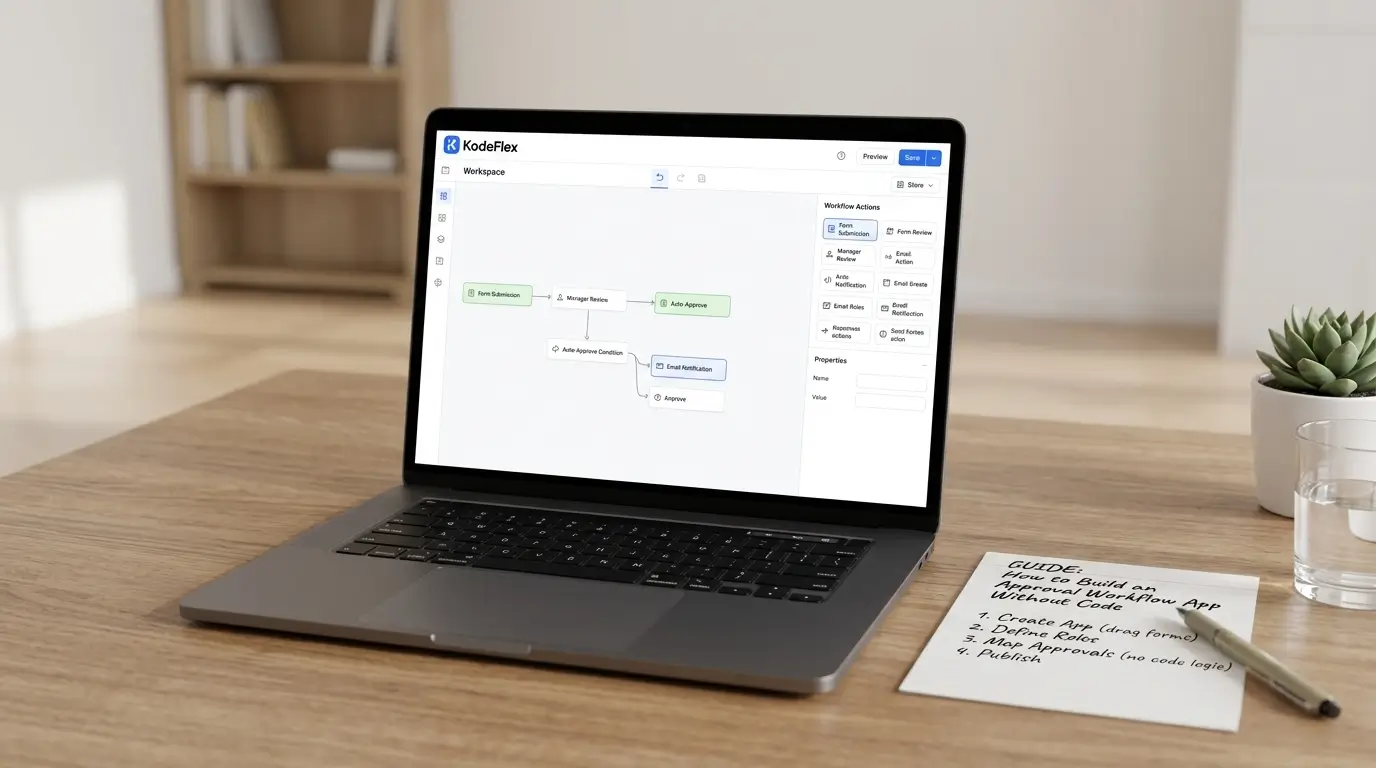
If you've ever been chasing down a manager over Slack for a purchase request that's languished for four days, you know what this article is about. Approval processes should be straightforward: request something, hear it approved or denied, and go about the tasks at hand. In reality, this is done through masses of emails, spreadsheets and "did you see my email?" follow-ups and can go wrong as soon as more than two people are involved.
The fortunate thing is that you don't have to hire a developer to take care of the custom software or wait weeks to remedy this. Today's no-code and AI-powered App Builders allow you to simply explain your workflow in plain terms and have a functioning App—complete with forms, routing, notifications, and more—to test the same day.
It demystifies the process of creating an approval workflow app step-by-step, outlines its essential components for real-world usability, and explains how AI tools like KodeFlex outperform conventional drag-and-drop workflows.
What Is a No-Code Approval Workflow App?
A no-code approval workflow app is an application built specifically to capture a request, route it through a set of defined approvers, and monitor that request from its submission to resolution using a visual tool or natural language.
It's important to make a distinction between the automation of simple tasks. A simple "if this, then that" automation can be used to send a Slack message when a form is filled. An approval workflow application takes it one step further:
-
Has a standardized structure that collects the right information that approvers need
-
It uses multiple stages of approval rather than just a trigger/action pair
-
It includes conditional routing ($500 requests are passed to a manager, $15,000 requests are passed to a VP)
-
It gives everyone—requester and approver—a status view, not just an inbox notification
-
It generates a timestamped audit trail automatically
That last point matters more than people realize until an auditor or a finance lead asks, "Who approved this, and when?"
Why Approval Workflows Break Down Without an App
The vast majority of broken approval protocols were not designed to be broken intentionally, but rather they simply evolved. They needed to get it signed off promptly, so they wrote an email. A half year later, the whole approval process belongs to the aforementioned email thread, and no one can recall why it operates in such a manner.
The regular failure points in the various industries seem to be very similar:
-
No enforced sequence. Anyone can approve out of order or skip a required reviewer entirely.
-
No escalation. If an approver goes on leave or simply forgets, the request just sits there.
-
No audit trail. A forwarded email chain doesn't hold up during a compliance review.
-
No visibility. The requester has no idea whether their request is stuck, rejected, or simply unopened.
An approval workflow app solves all four at once, and it does so without requiring IT to build custom software.
5 Types of Approval Workflow Apps You Can Build
The same underlying structure—form, stages, routing, escalation—applies across almost every department. These are the five most commonly automated first:
-
Purchase approvals – routes requisitions based on spend threshold, escalates to finance or a VP above a set amount
-
Leave requests – manager approval, HR verification, and automatic confirmation to the employee
-
Contract sign-off – parallel review by legal and finance, with an executive stage that only opens once both are clear
-
IT access requests – manager approval logged for compliance before any system access is provisioned
-
Expense claims – receipt capture, policy checks, manager approval, and a trigger to finance for reimbursement
If you're not sure where to start, pick whichever one currently causes the most email back-and-forth in your team. That's usually purchase approvals or leave requests.
Two Ways to Build One: Traditional No-Code vs. AI-Powered No-Code
That's where most guides end, since most no-code approval tools require you to manually add fields to a canvas, click to add your approval steps, and manually add approval conditions one by one. It works, but it takes some time to grasp the logic, terminology, and structure of the platform before you can do anything useful with it.
An AI-powered app builder like KodeFlex changes the starting point. Instead of assembling the app piece by piece, you describe the process in natural language — for example, "Build a purchase approval app where requests under $10,000 go to the team manager, and anything above that also needs VP approval" — and the platform generates a complete, runnable application: the form, the approval stages, and the routing logic, all in minutes.
You still get full visual control afterward. This AI-generated output is not a black box... It's a workflow configuration that is standardized, editable, and can be tailored, modified to include conditions or restructured without having to start over. This is important because a pure "vibe coding" tool will produce something that is a prototype and would need to be reworked to make it production ready, whereas a pure drag-and-drop platform requires you to design each part from scratch from a blank canvas. Natural-language generation with visual refinement is both fast and in control.
Step-by-Step: Building Your Approval Workflow App
Let's take a look at how you can practically do it, from automating purchase approvals, leave requests and more—depending on your business.
Step 1: explain in a natural language manner
Describe your approval process as you would to a colleague; what makes a request come up, who should approve it, and when it should change hands. This becomes your input prompt.
Step 2: Let AI generate the base app
Feed that description into an AI app builder. It should generate a working application—a request form, the approval sequence, and initial routing logic—without you touching a component library.
Step 3: Refine the workflow visually
Review the generated stages and routing. Add or adjust conditions ("if amount > $10,000, route to VP"), rename fields, and adjust the form layout to match exactly what your team needs.
Step 4: Set escalation and SLA rules
Define what happens if an approver doesn't act within a set window — say, 48 hours — and who it escalates to. Skipping this step is the single most common reason automated approval workflows still stall.
Step 5: Test with a real request
Submit a test request yourself and walk through it as an approver. Confirm notifications fire correctly, routing conditions trigger as expected, and the final status updates properly.
Step 6: Deploy and manage the instance
Once it works, publish it. From there, you can manage versions, run multiple instances (for example, separate approval apps per department), and iterate as your process changes—without rebuilding from scratch.
Common Mistakes to Avoid
Even with the right tools, a few recurring mistakes show up again and again in first-time approval workflow builds:
-
Over-engineering the first version. Launch a simple three-stage workflow and improve it later. Trying to handle every edge case before go-live delays the whole project.
-
Ignoring the requester's experience. Teams often build the approver's journey carefully and forget the requester's needs status visibility too—otherwise they'll just email their manager anyway.
-
Skipping escalation logic. A workflow without escalation rules is just a digital version of the same email chain you were trying to replace.
-
Not reviewing the audit log. Set a recurring reminder to check it in the first few months — it usually surfaces bottlenecks you didn't know existed.
Why AI-Powered No-Code Beats Traditional No-Code for Approvals
Traditional no-code platforms lowered the barrier from "you need a developer" to "you need to learn our platform." That's real progress, but it still means someone has to understand components, fields, and workflow logic before anything gets built.
AI-powered platforms remove that remaining barrier. A few practical advantages worth knowing:
-
Faster starting point – a complete, runnable app in minutes instead of hours of manual assembly
-
Transparent, editable logic – unlike black-box AI code generation, the output is a standardized, adjustable configuration you can inspect and modify
-
Handles non-linear complexity – built-in workflow engines support parallel approvals, branching, and multi-condition routing that basic no-code tools often struggle with
-
Private deployment options – for organizations that can't rely on public-cloud-only SaaS due to data governance requirements
The ROI of Automating Approval Workflows
The financial case is straightforward once you run the numbers. Process a mid-sized team with 200 purchase approvals in a month. An 800-person-day savings per month for the entire organization is equivalent to an 800 day savings if you can get manual five days down to an automated one.
There is also the compliance aspect: A full, chronological audit trail makes it easy for your finance or legal department to retrieve an approval history in seconds if they ever need to do a review, rather than spend hours scouring through the forwarded version of emails. This is often enough to warrant building the app in regulated industries.
FAQs
Do I need any coding experience to build an approval workflow app?
No. Both traditional no-code platforms and AI-powered builders are designed for non-technical users. With AI-powered tools, you describe the process in natural language and the app is generated for you.
How long does it take to build an approval workflow app?
With an AI app builder, a working first version can be generated in minutes. Testing, refining routing logic, and deploying it typically takes a day or two for a straightforward process.
Can I build multi-step or conditional approval workflows without code?
Yes. Modern no-code and AI-powered platforms support conditional routing, parallel review tracks, and multi-level escalation without requiring any custom scripting.
What's the difference between workflow automation and an approval workflow app?
Automation typically handles a single trigger-action pair, like sending a notification. An approval workflow app includes a structured form, multiple approval stages, routing logic, and a full audit trail.
Is data secure in an AI-generated approval workflow app?
It depends on the platform. Look for one that supports private deployment rather than relying solely on public-cloud hosting, especially if your approvals involve sensitive financial or HR data.
Conclusion
You don't need a development team or a multi-month project timeline to fix a broken approval process! Explain how the approvals should run in your team, instruct AI to create your app, and customize it visually until it is exactly how you work; finally, deploy it in-house, with complete control of your logic.
Download and start building your first production-ready approval workflow app today, or request a demo to hear how KodeFlex transforms a plain language description into a production-ready workflow app.
Related Blogs
Text-to-App: How Natural Language Development Actually Works