Barcode Generator: The Complete 2026 Guide
September 21, 2026PUBLISHED INAI Development
 ali
ali 2026-09-21 18:03:00
 0
0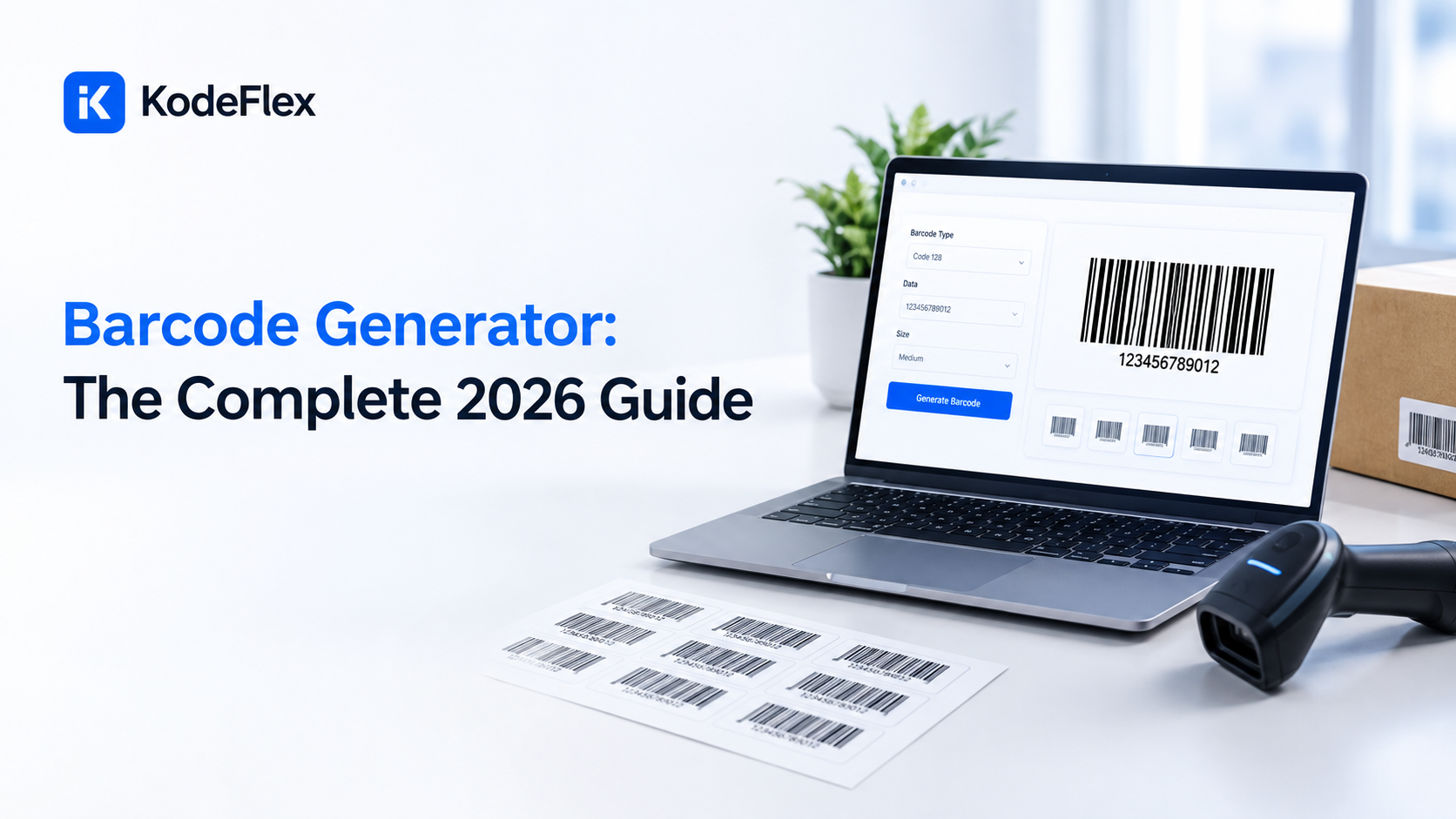
A barcode generator is a digital tool that turns text or numbers into a scannable image, the familiar pattern of lines or squares that a scanner or phone camera can read back into the original data instantly. Almost every product on a store shelf, every library book, and every shipped package relies on one somewhere in its journey. This guide covers what these tools actually do, which type of barcode fits which situation, the best generators worth using in 2026, and the point where a standalone generator stops being enough for a growing business.
Getting this right matters more than it might initially seem. Choosing the wrong barcode format, generating labels that fail to scan reliably, or relying on a disconnected generator once your inventory has genuinely outgrown manual tracking all create real, ongoing friction that compounds over time. The goal of this guide is to help you make that choice deliberately, based on your actual situation, rather than defaulting to whichever tool shows up first in a search result.
What Is a Barcode Generator, Exactly?
A barcode generator takes a piece of data, a product number, a serial code, a URL, and encodes it into a barcode image that a scanner can read back accurately every time.
How the Process Actually Works
• You choose a barcode type based on what you’re labeling and where it needs to be read
• You enter the data you want encoded, a product number, a batch code, a link, whatever applies
• The tool generates a preview so you can confirm it looks and reads correctly before using it
• You download the image, usually as a PNG, JPG, or SVG file, ready to print on a label or embed in a document
That process sounds simple because for a single barcode, it genuinely is. The complexity shows up once a business needs hundreds or thousands of barcodes generated consistently, tied to real inventory data that changes daily, which is where this guide eventually leads.
What Types of Barcodes Can You Actually Generate?
Different barcode formats exist because different industries and use cases need different amounts of data encoded, and picking the wrong type for your situation causes real problems later.
|
Barcode Type |
What It’s Typically Used For |
Data Capacity |
|
UPC A |
Retail products sold in the United States |
12 digits, numbers only |
|
EAN 13 |
Retail products sold internationally, common in supermarkets |
13 digits, numbers only |
|
Code 128 |
Internal SKUs, shipping labels, general business use |
Letters and numbers, high density |
|
Code 39 |
Manufacturing, automotive, defense industry labeling |
Letters, numbers, and some symbols |
|
QR Code |
Links, contact info, marketing, mobile scanning |
Large amounts of text or a full URL |
|
Data Matrix |
Small item labeling, electronics, medical devices |
High density in a very small physical space |
|
PDF417 |
ID cards, boarding passes, shipping documents |
Large amounts of structured data |
How to Pick the Right Type for Your Situation
• Selling a product at retail in the United States? UPC A is the standard your point of sale system expects
• Selling internationally, especially in Europe? EAN 13 is the more common standard
• Tracking internal inventory that never gets scanned at a public checkout? Code 128 offers the most flexibility for internal SKUs
• Labeling something physically tiny, like a circuit board or a small medical device? Data Matrix fits far more data into a smaller space than most other formats
• Want customers to scan something with their phone and land on a link or contact card? QR Code is built specifically for that
How Do the Best Barcode Generators Actually Compare in 2026?
The market splits fairly clearly between free, browser based tools built for occasional or single barcode use, and more capable software built for businesses generating barcodes regularly and at real volume.
• TEC IT Online Barcode Generator: supports nearly every 1D and 2D format, works without installing anything, offers a free tier plus a paid yearly subscription for higher volume and additional features like Scan IT to Office integration
• Zint Barcode Studio: free and open source, supports an extensive list of formats, plain interface built for power users and developers rather than casual use
• Online Tool Center Barcode Generator: broad format support with flexible customization and free downloads in common image formats, a solid general purpose free option
• ZebraDesigner Essentials: built specifically around label printing rather than one off barcode generation, a strong fit if you’re printing physical labels regularly
• Orca Scan: positioned more as a full inventory tracking tool than a pure generator, combining barcode creation with actual scanning and tracking workflows
• Avery Design and Print: aimed at users who want barcodes formatted directly onto standard label sheet templates for immediate printing
Free Versus Paid: What’s the Real Difference?
Free barcode generators cover the overwhelming majority of casual and small business needs well. Where paid tiers actually earn their cost is at volume and integration depth.
• Free tools typically generate one barcode at a time, which is fine for a handful of labels but slow for hundreds
• Paid tiers commonly add bulk generation, letting you upload a list of product numbers and generate every barcode in one pass
• Paid tiers often add direct integration with spreadsheets, databases, or existing business software, removing the manual download and import step entirely
• Enterprise oriented tools add compliance specific label formats, like VDA 4902 or AIAG standards used in automotive and manufacturing supply chains
What Should You Actually Look for in a Barcode Generator?
A short checklist before committing to a tool, free or paid, saves real frustration once you’re relying on it for actual business labels.
• Does it support the specific barcode type your point of sale, shipping carrier, or industry standard actually requires
• Can it handle bulk generation if you’re labeling more than a handful of items at once
• Does the exported image quality hold up at your actual print size, since a barcode that looks fine on screen can fail to scan once printed too small
• Is there a real way to keep generated barcodes tied to your actual inventory data, or does every barcode exist as a disconnected image file
That last question is usually the one that matters most once a business moves past occasional label printing into daily inventory operations, and it’s worth a section of its own.
Where Does a Standalone Barcode Generator Stop Being Enough?
A barcode generator on its own creates an image. It doesn’t know what that image represents once you’ve printed it, doesn’t update if the underlying product information changes, and doesn’t tell you anything when that barcode gets scanned later.
The Gap Most Businesses Discover Eventually
• You generate a barcode for a product, print it, and six months later the product’s price or description changes, with no automatic way to know which printed labels are now out of date
• You scan an item during a stock count, but the scanner just confirms the code matches, it doesn’t update a live inventory count anywhere
• You’re generating the same handful of barcode types repeatedly for new inventory, copying data from a spreadsheet into the generator one item at a time
• Multiple people on your team are generating barcodes independently, with no shared record of what’s already been created or what a specific code actually maps to
None of this is a flaw in the barcode generator itself. A generator does exactly one job, turning data into a scannable image, and does it well. The gap appears when a business needs that barcode connected to something bigger, a real inventory record, a workflow that updates when an item is scanned, a shared database the whole team can see and trust.
How Do You Actually Close That Gap?
The fix isn’t a better standalone generator, it’s connecting barcode generation directly to the actual system tracking your inventory, so a barcode is never just an image, it’s a live link to a real record.
What a Connected System Actually Looks Like
• Generating a barcode automatically the moment a new item gets added to your inventory database, with no separate manual step
• Scanning that barcode later updates the actual record, adjusting stock counts, logging a location change, or flagging a reorder point automatically
• Every barcode stays tied to live data, so if a product’s details change, there’s one source of truth rather than a printed label that’s quietly gone stale
• Your whole team works from the same connected system, instead of each person generating and tracking barcodes independently
This is exactly the kind of internal tool an AI native app builder generates well, since the core need, a form, a database, and a workflow triggered by a scan, is a fairly standard pattern once you describe it clearly. For a closer look at how that generation process actually works, this guide on what is an AI app builder covers the mechanics directly.
A Concrete Example Worth Picturing
A small warehouse currently uses a free online generator to create barcodes for new inventory, copying product details from a spreadsheet by hand each time. Building a connected inventory tool instead means describing that exact process, new item gets entered once, a barcode generates automatically, and scanning it later updates stock counts in real time, and getting a working first draft of that system within hours rather than manually coordinating a generator and a spreadsheet indefinitely. For a full walkthrough of building exactly this kind of system, this guide on how to build an inventory management app covers the process from description to a working tool.
What Are the Most Common Business Use Cases for Barcodes?
Barcodes show up across nearly every industry, though the specific need looks different depending on what’s actually being tracked.
Retail and Ecommerce
• Product labeling for point of sale scanning at checkout
• Shelf and bin labels for stock organization in a physical store
• Return processing, scanning a returned item back into inventory automatically
A mid sized online retailer expanding into physical pop up stores once relied entirely on manually typed SKUs at checkout, a process slow enough that lines regularly backed up during busy weekends. Introducing generated barcodes tied to their existing product catalog cut average checkout time noticeably and virtually eliminated the SKU entry typos that had been causing inventory mismatches for months.
Warehousing and Logistics
• Pallet and shipment tracking as goods move through a supply chain
• Bin location labels so staff can find inventory quickly in a large facility
• Receiving workflows, scanning incoming shipments against a purchase order automatically
Healthcare
• Medical device and sample labeling, often requiring Data Matrix for very small items
• Patient wristband scanning tied to a medical record system
• Medication tracking to reduce dispensing errors
Asset Tracking
• Equipment checkout systems for shared tools or devices
• IT asset tracking, tying a barcode to a specific laptop, monitor, or piece of hardware
• Maintenance scheduling, scanning equipment to log service history automatically
Libraries and Education
• Book and media checkout systems tracking what’s currently loaned out and to whom
• Equipment loan tracking for shared classroom or lab equipment
• Student ID cards doubling as scannable access credentials for facilities and events
How Does Scanning Hardware Actually Factor Into This Decision?
The barcode generator is only half the equation. What actually reads the barcode afterward shapes which format and print quality genuinely matter for your situation.
The Main Scanning Options
• Dedicated laser scanners: fast and reliable for high volume 1D barcode scanning, the standard in most retail checkout and warehouse environments
• Camera based scanners: read both 1D and 2D formats, common in newer point of sale systems and handheld inventory devices
• Smartphone cameras: read QR codes natively through most modern phone camera apps, and can read traditional barcodes through a dedicated scanning app
• Fixed mount scanners: built into conveyor systems or checkout counters for hands free, high speed scanning in industrial settings
Why This Matters for Your Barcode Choice
A warehouse relying on older dedicated laser scanners needs barcodes those scanners can actually read reliably, which usually means sticking with well established 1D formats like Code 128 rather than assuming every 2D format will work. A team planning to use smartphones for scanning has far more flexibility, since QR codes and many 2D formats read natively through a standard camera app without any additional hardware investment. Testing your actual chosen barcode type against your actual scanning hardware, not just a screen preview, is a step worth taking before committing to thousands of printed labels.
Is There a Meaningful Difference Between 1D and 2D Barcodes for Your Use Case?
Yes, and the distinction goes beyond just how the pattern looks visually.
• One dimensional barcodes, like UPC A, EAN 13, and Code 128, encode data in a single line of varying width bars, read by scanning across the line horizontally
• Two dimensional barcodes, like QR Code and Data Matrix, encode data in a grid pattern, packing significantly more information into a smaller physical space
• 1D formats remain the standard for retail point of sale, since existing checkout infrastructure is built around them
• 2D formats make more sense when you need to encode more data than a 1D format comfortably holds, a full URL, contact details, or a large serial number, or when physical label space is genuinely limited
Do Developers Need Something Different From a Basic Barcode Generator?
For a team building barcode generation directly into their own software rather than generating labels one at a time, a different category of tool applies.
• Barcode generator APIs let a developer generate barcode images programmatically, triggered automatically whenever new inventory data is created
• Barcode generation libraries, available for most common programming languages, let generation happen entirely within an existing application rather than through a separate website
• This approach matters specifically for the connected system described earlier in this guide, since automatic generation tied to real data almost always happens through this kind of programmatic approach rather than someone manually visiting a generator website for each new item
This is exactly the piece an AI native app builder handles without requiring anyone to write the underlying generation code directly. Describing the need, generate a barcode automatically whenever a new inventory item is added, produces a working implementation without anyone on the team needing to understand a barcode generation library or write integration code by hand.
How Did Barcodes Become So Widely Used in the First Place?
Understanding a little of the history helps explain why certain formats remain standard today, even as newer options like QR codes have become common alongside them.
A Brief, Practical History
The first retail barcode scan happened in 1974, a pack of chewing gum scanned at a grocery store checkout, marking the beginning of a shift that would eventually touch nearly every physical product sold anywhere. UPC adoption spread through retail over the following two decades, driven largely by the efficiency gains it offered grocery chains managing thousands of individual products. QR codes emerged later, developed originally in the automotive industry in Japan for tracking parts during manufacturing, before eventually becoming the general purpose, camera scannable format now common in marketing, payments, and everyday business use. Each new format that gained real adoption solved a specific limitation of what came before it, more data density, smaller physical footprint, or easier scanning without dedicated hardware.
That pattern is worth keeping in mind when evaluating any barcode format today. The right choice usually comes down to which specific limitation matters most for your actual situation, not which format is newest or most popular in general.
What Does Pricing Actually Look Like Across Different Approaches?
Understanding real costs across the range of options, from a free single barcode tool to a fully connected internal system, helps set accurate expectations before you commit time to any specific path.
|
Approach |
Typical Cost |
Best For |
|
Free online generator |
No cost |
Occasional, single barcode needs |
|
Paid generator subscription |
Roughly $10 to $50 monthly |
Regular bulk generation, small business labeling |
|
Dedicated label printing software |
One time purchase or annual license, often $50 to $300 |
Businesses printing physical labels regularly on dedicated hardware |
|
Inventory software with built in barcoding |
Often $30 to $150 monthly depending on features and team size |
Businesses wanting barcode generation bundled with broader inventory tracking |
|
Custom connected system, AI native builder |
Often a few hundred to a few thousand dollars, one time or license based |
Businesses needing barcode generation tied directly to their own specific workflow and data |
|
Fully custom developed system |
Typically $10,000 or more, plus ongoing maintenance |
Businesses with highly unusual requirements existing tools don’t support |
How to Read This Table for Your Own Situation
The jump in cost between a free generator and a connected system looks large at first glance, but the comparison only makes sense once you factor in what each option actually replaces. A connected system replaces hours of manual data entry, disconnected spreadsheets, and the ongoing risk of barcodes that no longer match real inventory. For a business generating more than a handful of barcodes weekly, that time savings often justifies the cost difference within the first few months alone.
Smaller operations shouldn’t read this as pressure to skip straight to a connected system regardless of actual need. A hobbyist seller generating a dozen labels a month has no real reason to move past a free tool, and doing so would add complexity without a matching benefit. The decision point is genuinely about volume, team size, and how much the data actually needs to stay connected and current, not about which option sounds more sophisticated.
What Are a Few More Mistakes Worth Watching For?
Beyond the common errors already covered, a few additional patterns show up specifically once a business starts scaling barcode usage across a larger team.
• Failing to document which barcode type and data format the team has standardized on, leading to inconsistent labels once more than one person is generating them
• Reusing a barcode number for a different item after the original product is discontinued, creating confusing historical scan data that’s difficult to untangle later
• Not planning for barcode capacity limits, discovering too late that a chosen format can’t accommodate a longer product code as a catalog grows
• Treating barcode generation as a one time setup task rather than an ongoing part of how new inventory gets added to the business
A growing hardware supplier once discovered, during a slow season audit, that three different employees had each generated barcodes for the same batch of new inventory using three different free tools, with no shared record of what had already been created. Reconciling the resulting mess took longer than building a proper connected system would have taken from the start.
What Mistakes Do Businesses Make With Barcode Generation?
A handful of avoidable errors show up repeatedly once a business moves from occasional label printing into relying on barcodes for real daily operations.
• Choosing a barcode type based on what’s familiar rather than what a specific industry standard or scanner actually requires
• Printing barcodes at a size too small for the printer’s real resolution, producing labels that look fine on screen but fail to scan reliably in practice
• Generating barcodes disconnected from any real database, creating a pile of image files with no link back to actual inventory records
• Assuming a free tool’s one at a time generation will scale, then discovering it’s unworkable once inventory grows past a few dozen items
•
Related Blogs

Droven io Explained: What It Is, Who Runs It, and Is It Legit?