How to Build a Contract Management App
57 minutes agoPUBLISHED INAi Development
 ali
ali 2026-10-12 13:35:00
 0
0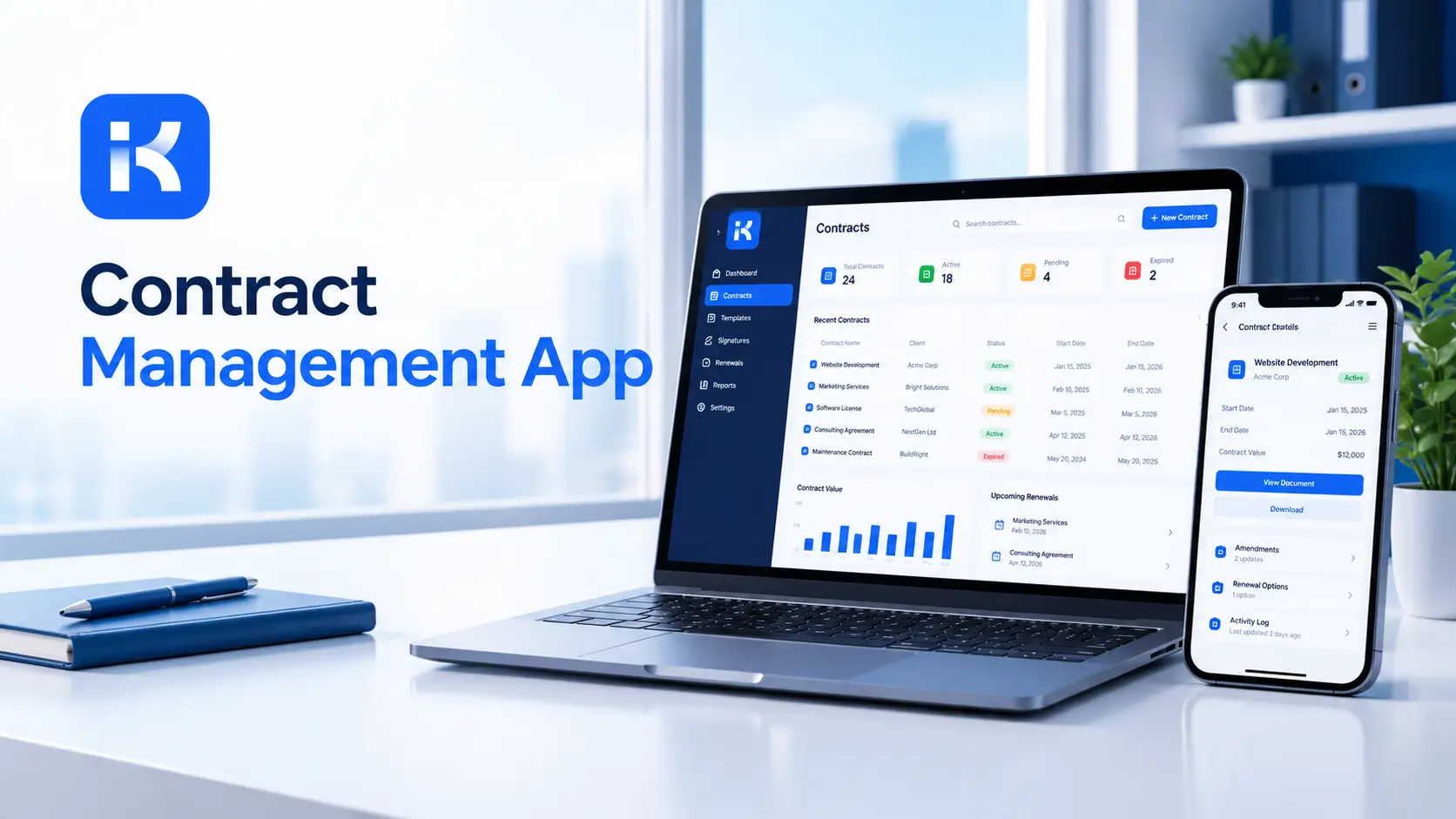
A supplier contract auto-renews on Friday. Nobody noticed the notice period ended last month. Legal thought procurement had it. Procurement thought it was in a shared folder. It wasn't. Now you're locked in for another year.
A contract management app stops that. Every contract has an owner, key dates and a status. You don't need custom code to build one. Look at the app lifecycle and instance management features of an AI app builder, and you'll see how fast a first version can appear. Here's how, step by step.
What a contract management app does
-
Intake. Requests for a new contract come in through one form.
-
Review and approval. Legal, finance and the business sign off in order.
-
Storage. The final contract and its versions sit in one place.
-
Key dates. Start, end, notice period and renewal date, tracked per contract.
-
Alerts. Reminders go to the owner before a deadline, not after.
-
Reports. What expires soon, what is stuck in review, what we spend by supplier.
Keep the first version small. Intake, approval and dates cover most of the value.
Step by step: build your contract management app
Step 1. Map your contract process on one page
Write down how a contract moves today. Who requests it? Who drafts? Who reviews? Who signs? Where does the final copy live? Honestly, this is the step people skip, and it costs them later.
Step 2. Describe the app in one prompt
KodeFlex is an AI development platform and app builder for enterprise collaboration. You describe a business need in plain language, and it generates a runnable app with the frontend, backend and approval flows. Then you refine it with visual tools for forms, approval paths, rules and branches. Turn your page into a prompt:
-
"A contract management app. Staff submit a contract request with counterparty, type, value, start date and end date. Legal reviews it, then finance approves anything above a set value. Approved contracts are stored with their key dates and an owner. Show contracts expiring in the next 90 days."
It won't be perfect. Rough is the point.
Step 3. Set up the data model
|
Record |
Key fields |
Notes |
|---|---|---|
|
Contract |
Counterparty, type, value, start date, end date, notice period, owner, status |
The center of the app. |
|
Request |
Requester, contract type, description, urgency |
Starts the process. |
|
Review step |
Reviewer, decision, comments, date |
One per approval stage. |
|
Document |
Contract, version, date, uploaded by |
Keeps version history. |
|
Reminder |
Contract, date, recipient |
Drives renewal and notice alerts. |
Step 4. Build the intake form
Keep it short. Counterparty, contract type, value, dates and a description. Use dropdowns for type and department, so reports stay tidy. A short form gets used. A long one gets bypassed by email.
Step 5. Design review and approval paths
Use visual workflow refinement to shape the path. A typical flow:
-
Requested. The form is submitted.
-
Legal review. Legal checks terms and comments.
-
Finance approval. Needed above a set value.
-
Signature. The signed copy is uploaded.
-
Active. Dates start counting.
-
Renewal or expiry. The owner decides before the notice period ends.
Add branches for rejected requests and for changes after review. If a value is above a set limit, route to a senior approver.
Step 6. Track key dates
The notice period date matters more than the end date. Store both. Show a view of contracts ending in the next 30, 60 and 90 days, sorted by notice deadline.
Step 7. Set permissions
-
Requesters see their own requests.
-
Legal sees everything in review.
-
Finance sees contracts with a value above the limit.
-
Managers see reports for their area.
Confidential contracts may need tighter access. Decide this before you load any real contract.
Step 8. Preview, test and release
KodeFlex offers live preview, debugging and one-click release and deployment. Use them. Load five live contracts, run two new requests through approval, and ask legal what's missing. Release to one department first.
Write a better prompt for your first version
The first draft is only as good as your description. Compare these.
|
Weak prompt |
Better prompt |
|---|---|
|
"Build me a contract app." |
"Staff submit a contract request with counterparty, type, value and dates. Legal reviews it, finance approves above a set value, and approved contracts are stored with an owner." |
|
"Add reminders." |
"Show contracts whose notice deadline falls within 60 days, and list the owner for each." |
|
"Add approvals." |
"Contracts above a set value need a senior approver after finance." |
Same tool, very different result. Specific roles, fields and rules give the builder something to work with.
What to test before launch
-
A rejected request. Does it go back with a comment, and can the requester fix it?
-
A contract above the approval limit. Does the extra approver appear?
-
A user without access. Do they see only what they should?
-
A notice date next week. Does it show on the expiring view?
-
A new version. Is the old copy kept?
Reports your team will use
|
Report |
Question it answers |
|---|---|
|
Expiring in 90 days |
What needs a decision soon? |
|
Notice deadlines |
Where could we get locked in? |
|
Stuck in review |
Which contracts are waiting, and on whom? |
|
Value by counterparty |
Where does the money go? |
|
Time to approve |
How long do reviews really take? |
How KodeFlex fits
KodeFlex builds internal business apps for enterprise collaboration. For contracts, that means requests, approval paths, owners, statuses and records. The platform covers generation, design, preview, debugging, release and deployment, with version control, one-click release and a unified operations dashboard. It also has a private deployment option if you want data kept in-house. The KodeFlex home page has the full overview.
Pricing is by license. The KodeFlex pricing page lists lifetime licenses from $1,499 for the Team edition (50 users, 20 apps) and annual licenses from $3,699. Plans change, so check the page.
Where KodeFlex does not fit
Worth saying plainly. The public KodeFlex pages don't describe e-signature, automatic email alerts or document storage limits, so ask about each in a demo with your real contracts. KodeFlex also isn't legal advice or a clause library. If you need contract redlining, AI clause analysis or legally binding e-signature, plan for a specialist product alongside it.
A practical example: supplier contracts
A mid-sized company wants to stop missing renewals. This is an illustration, not a case study.
-
Before. Contracts sit in shared folders. Dates live in someone's calendar.
-
Build. The team loads active supplier contracts, sets owners and adds notice dates.
-
Process. New requests go through legal and finance approval in the app.
-
Rollout. Procurement first for a month. Then the other departments.
The win is simple. Every contract has an owner and a date someone is watching.
Common mistakes to avoid
-
Tracking the end date but not the notice date. The notice date is the trap.
-
No owner per contract. Alerts that go to nobody do nothing.
-
Too many fields. Start with the dates and the parties.
-
Loose access. Contracts can be sensitive. Set roles first.
-
Skipping the migration plan. Decide which old contracts to load and in what order.
Checklist before you go live
-
Contract types and statuses are agreed.
-
Every contract has an owner and key dates.
-
Approval paths match how legal and finance really work.
-
Permissions are tested with real accounts.
-
Alerts and storage are confirmed with the vendor.
-
Five real contracts have been loaded and checked.
Want to try this on your own contracts? You can request a KodeFlex demo or download KodeFlex and test it yourself.
Frequently asked questions
What is a contract management app?
It's an app that tracks contracts from request to renewal. It usually covers intake, review and approval, storage, key dates and reminders.
Can I build a contract management app without code?
For the workflow side, yes. Intake forms, approvals, owners, dates and reports can be built with an AI app builder and visual tools. E-signature and clause analysis usually need separate products.
What should a contract app track?
Counterparty, type, value, start and end dates, notice period, owner and status. Add documents and versions next.
How do renewal alerts work?
The app stores key dates and sends reminders to the contract owner before a deadline. Check with your vendor how alerts are delivered, since this isn't detailed on the public KodeFlex pages.
Is a custom contract app secure?
It depends on roles, access rules and where the app runs. KodeFlex offers a private deployment option. Review your own confidentiality and compliance needs with the right people.
Do I need dedicated contract software instead?
If you need redlining, AI clause analysis or binding e-signature, a specialist product may fit better. For intake, approvals and date tracking, a custom app can be enough.
How much does KodeFlex cost?
According to the KodeFlex pricing page, lifetime licenses start at $1,499 for the Team edition (50 users and 20 apps), and annual licenses start at $3,699. Check the page for current plans.
|
Ready to stop missing renewals? Tell us how contracts move through your team today and we will show you what it looks like as a working app. Request a KodeFlex demo to see it live, or explore the app lifecycle and instance management features first. |
Related Blogs
Build vs Buy Software: How to Decide in 2026