KodeFlex vs Glide: Generating an App vs Wrapping a Spreadsheet
September 7, 2026PUBLISHED INAI Development
 ali
ali 2026-09-07 00:58:00
 0
0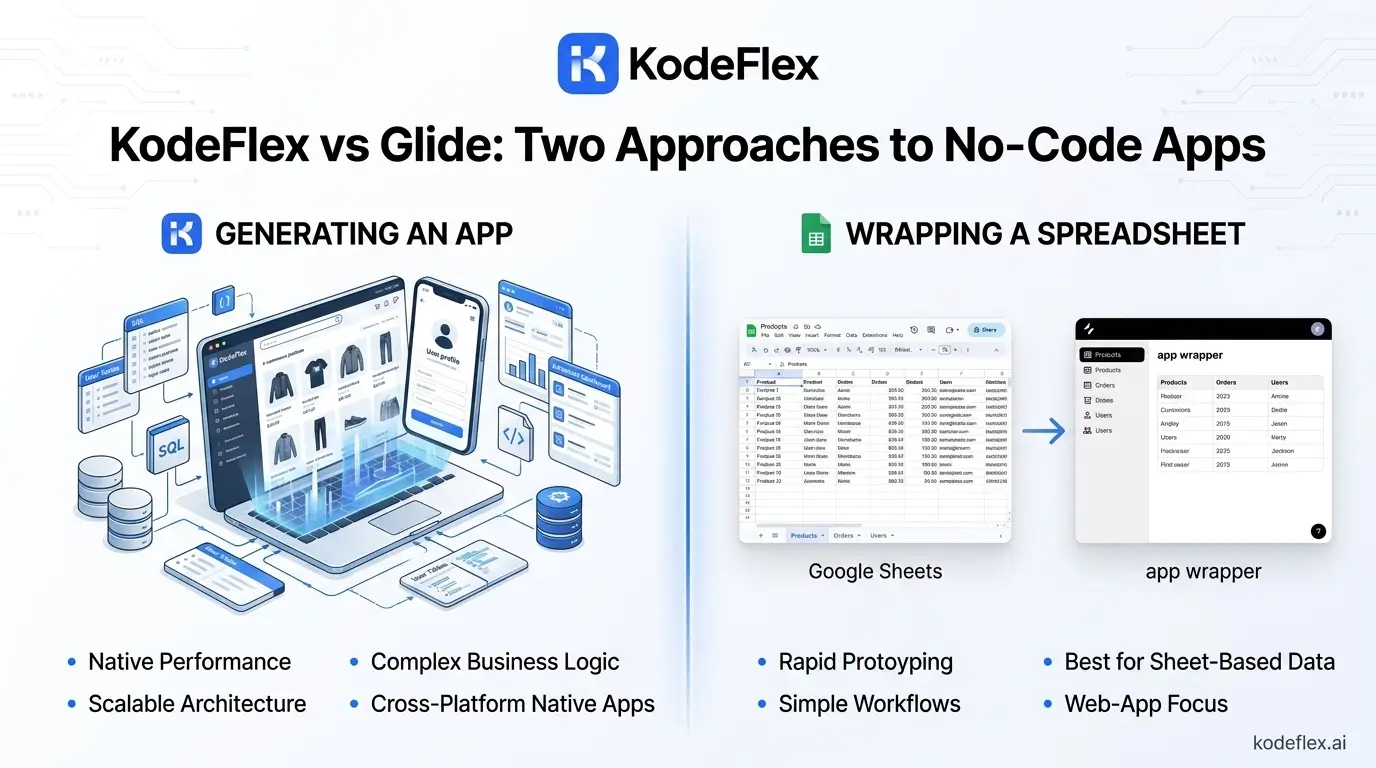
Glide's core model is genuinely simple to describe: your data lives in a spreadsheet, your logic lives in Glide's visual builder, your app runs in Glide's hosted environment. That's a real strength for teams already living in Google Sheets or Airtable who want an app-like interface on top fast. KodeFlex starts from a different place, generating both the data structure and the app from a plain-language description, without assuming a spreadsheet already exists.
The Spreadsheet Dependency Is the Whole Model
This is worth understanding upfront: Glide doesn't generate a data model, it wraps one you already have. That's fast when the spreadsheet already exists and fits the app's needs well. It becomes a constraint when the underlying data structure needs real changes, since you're now managing logic in two places, the spreadsheet and Glide's builder, rather than one connected system. KodeFlex generates the data structure as part of the app itself, so there's no separate spreadsheet to keep in sync with what the app actually needs.
Pricing: Where the Real Gates Are
Glide's pricing has changed more than once in the past couple of years, and 2026's structure gates data source access by tier in a way worth knowing before committing: connecting Google Sheets requires at least the Maker plan (roughly $25-49/month), while Airtable or Excel require Business (roughly $199-249/month), and SQL databases, Salesforce, or HubSpot require a custom Enterprise plan. If your data already lives in Airtable rather than Google Sheets, that alone pushes you past the entry-level pricing before you've built anything.
The Metered Updates Detail
Glide's plans include a monthly allowance of "updates," counted each time the app syncs fresh data from its source. Apps with frequent real-time data changes, or heavy automation, can burn through this allowance faster than expected, and running out means either upgrading or the app falling behind on fresh data. This is a genuinely easy detail to miss when comparing the entry price alone.
Workflow Logic vs Data Display
Glide handles displaying and interacting with spreadsheet data well, and its visual builder can add real logic on top. But that logic is built as a layer over existing rows and columns, rather than a purpose-built workflow engine designed around business processes like multi-step approvals from the ground up. For straightforward data-display apps, that difference matters less. For apps built around genuine approval routing and conditional business logic, it matters more.
Feature Comparison
|
KodeFlex |
Glide |
|
|
Starting point |
AI generates the data model and app from a description |
Requires an existing spreadsheet (Sheets, Airtable, Excel) as the data source |
|
Entry pricing |
See current pricing page |
Maker ~$25-49/mo, Team ~$99/mo (20 users), Business ~$199-249/mo |
|
Data source access by tier |
Not tier-gated |
Google Sheets needs Maker; Airtable/Excel need Business; SQL/Salesforce need Enterprise |
|
Usage limits |
See current pricing page |
Monthly "updates" (data syncs) are metered and can run out fast on data-heavy apps |
|
Workflow logic |
Built-in workflow engine for approvals, branching, multi-role routing |
Visual builder logic layered on top of spreadsheet data |
Who Should Pick Which
Glide fits teams with an existing, well-structured spreadsheet who want a fast, app-like interface on top of data they're already maintaining elsewhere. KodeFlex fits teams starting from a business process rather than existing data, where generating the structure and the workflow logic together, rather than wrapping a spreadsheet, is the more direct path.
Straight Answers
Do I need an existing spreadsheet to use Glide?
Effectively yes, Glide is built around wrapping an existing data source rather than generating its own structure from scratch.
Can Glide connect to Airtable on its cheapest paid plan?
No, Airtable and Excel connections require the Business tier, a meaningful jump from the entry-level Maker plan.
What happens if I run out of monthly updates?
The app's data sync gets limited until the next billing cycle or you upgrade to a higher tier with a larger allowance.
Does KodeFlex require an existing data source to get started?
No, it generates the data structure as part of building the app from your description.
Is Glide good for apps with complex approval workflows?
It can handle some logic, but its strength is data display and simple interactions layered on a spreadsheet, rather than deep, purpose-built workflow routing.
Want to see an app generated without needing a spreadsheet first?
Visit KodeFlex or request a demo and describe the app you need.
Related Blogs
No-Code vs Low-Code vs AI-Native: What's the Difference?