Catalog
Feature Overview
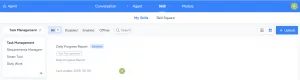
The AI module now includes Skill Management to help users leverage AI more effectively and boost productivity.- My Skills: Manage all skills associated with your account, including those you created and those added from the Skill Marketplace. "My Skills" are used by default in AI conversations to provide quick, relevant responses.
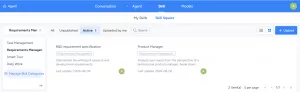
- Skill Marketplace: A public hub where you can browse and add skills shared by others. Skills from the Marketplace can also be attached to Agents.
Use Cases
- Personalized AI Assistance: When chatting with the AI assistant, you no longer need to manually specify complex prompts each time. The system automatically identifies your intent and invokes relevant skills from "My Skills" by default.
- Enhanced Agent Capabilities: When building or configuring Agents for specific business scenarios, you can directly attach public skills from the "Skill Marketplace." This instantly boosts the Agent's professionalism and significantly shortens development time.
- Discover Quality Skills: Browse the "Skill Marketplace" and add recommended skills to "My Skills." You can also upload your own highly recommended skills to the Marketplace for your organization to use.
Functional Operations
1. My Skills
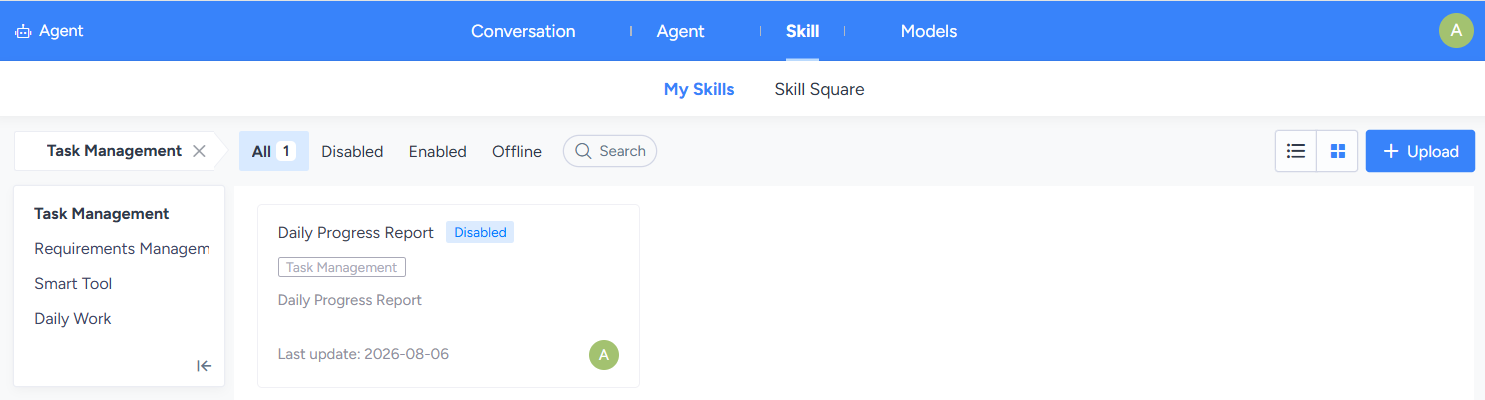
Manage all skills associated with your personal AI conversations on the "My Skills" page. When you chat with the AI, the system automatically identifies and invokes the necessary skills from "My Skills" to assist you.1.1 Skill List and Status
1) Filter Tags: Quickly filter skills by status: All, Enabled, Disabled, Unpublished.2) Status Descriptions:
- Enabled: The skill is active and available for use in conversations.
- Disabled: The skill is temporarily unavailable but not deleted. You can re-enable it when needed.
- Unpublished: Applies only to skills added from the Marketplace. This indicates the original author or administrator has unpublished the skill from the Marketplace. While it remains in "My Skills," its functionality may be affected.
1.2 Skill Categories and Available Actions
Skills in "My Skills" are categorized by source, with different actions available for each:
| Skill Source | Status | Available Actions |
|---|---|---|
| Skills uploaded by me | Enabled / Disabled | [Edit], [Enable/Disable], [Delete], [Publish to Marketplace] |
| Skills added from Marketplace (Including skills I published to the Marketplace) |
Enabled / Disabled / Unpublished | [Enable/Disable], [Remove] |
Action Descriptions:
- Upload: Upload a skill. Currently, only ZIP files are supported, and the ZIP must contain a skill.md file.
- Edit: Modify core content such as the skill's name, description, and conversation logic. Only the original author has this permission. [Enable/Disable]: Toggle the skill's availability. Enabled skills are automatically invoked by the AI based on intent recognition during personal conversations.
- Delete: Permanently delete a skill you uploaded.
- Publish to Marketplace: Publish your private skill to the "Skill Marketplace" for all users. Once published, it becomes a public asset. Both you and administrators can maintain it (edit, publish/unpublish, delete), but these actions must be performed in the "Skill Marketplace."
- Remove: Applies only to "Skills added from the Marketplace." Removes the skill from your personal list without affecting its status in the Marketplace.
2. Skill Marketplace
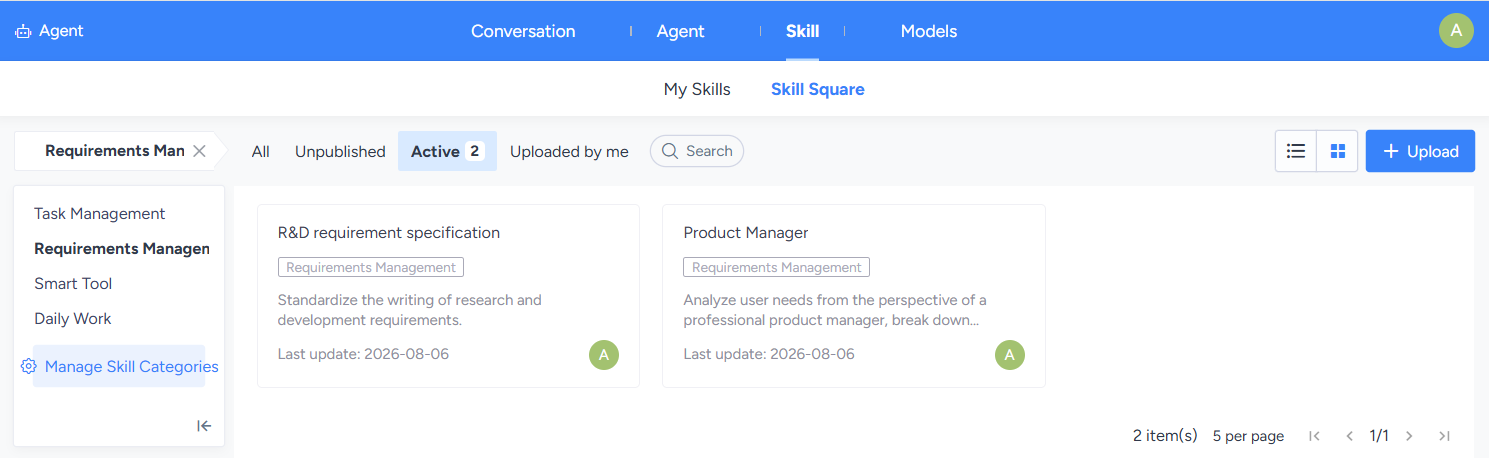
Explore and acquire public skills published by other users or administrators via the "Skill Marketplace".2.1 Skill List and Status
1) Filter Tags: Quickly filter skills by status: All, Published, Unpublished.2) Status Descriptions:
- Published: The skill is available. You can add it directly to your personal skill library.
- Unpublished: The skill has been temporarily unpublished by the original author or administrator and cannot be added to your personal library.
2.2 Skill Sources and Available Actions
Actions available in the "Skill Marketplace" depend on the publisher:| Skill Source | Available Actions |
|---|---|
| Skills you published to the Marketplace | [Edit], [Publish/Unpublish], [Delete], [Add to My Skills] |
| Skills published by others | [Add to My Skills] |
| Administrator (can maintain all skills) | [Edit], [Publish/Unpublish], [Delete], [Add to My Skills] |
Action Descriptions:
- Upload: Upload a skill. Currently, only ZIP files are supported, and the ZIP must contain a skill.md file.
- Edit: Modify any content of the skill. Only the original author and administrators have this permission.
- Publish/Unpublish: Toggle the skill's public visibility in the Marketplace. Only the original author and administrators have this permission.
- Delete: Permanently delete the skill from the Marketplace. Only the original author and administrators have this permission.
- Add to My Skills: Add the public skill to your personal "My Skills" list for use in conversations.
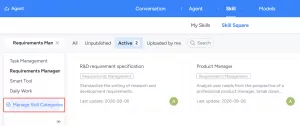
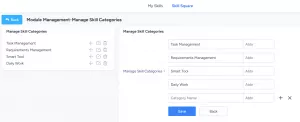
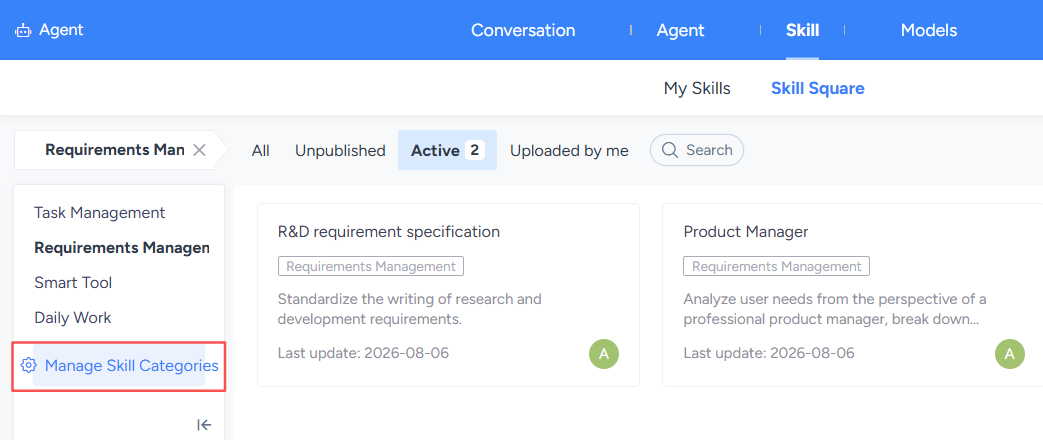
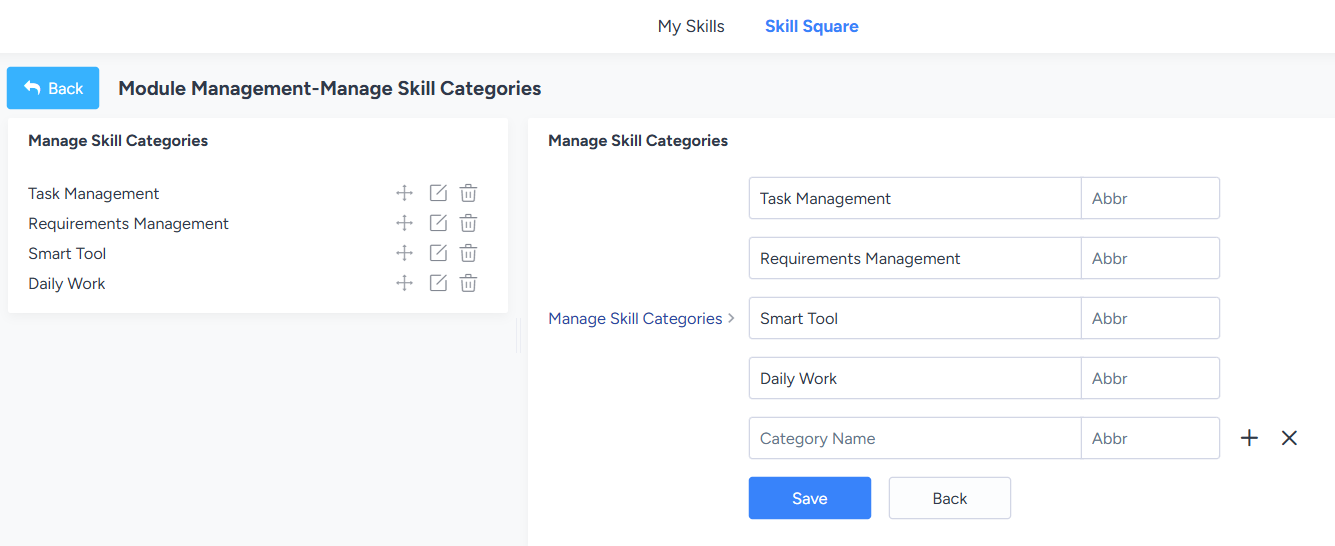
- Maintain Skill Categories: Authorized Marketplace administrators can manage categories (first-level only). "My Skills" uses the same category structure.
3. Invoking Skills in AI Conversations
You can invoke the enabled skills in the AI conversation interface below. "My Skills" are displayed by default, but you can also select additional skills from the "Skill Marketplace" .Once used, the skill will be automatically added to "My Skills."
Only one skill can be selected per conversation.