Catalog
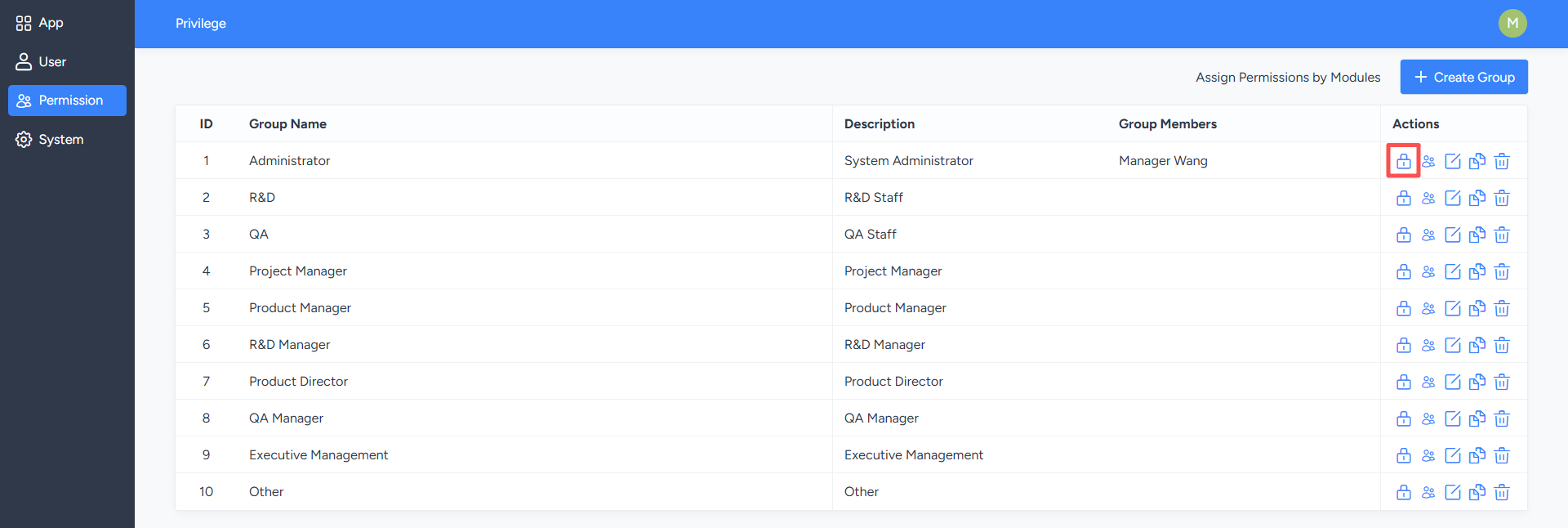
On the "Permission Management" list page, clicking the "Assign Permissions" button for the corresponding permission group will take you to the permission maintenance page, where you can configure access and operation permissions for that group.
For example, if you uncheck the "Add To-Do" permission, users in that permission group will be unable to perform the "Add To-Do" operation when logging into the system.
When configuring permissions, you can use different search tags to filter modules and set specific permissions for each module. You can also switch to the permission package view in the upper right corner of the page and directly select the permission packages to be assigned.
For example, when assigning product-related permissions, if necessary permissions such as Product List, Overview, Dashboard, Export Template, and User Request List are not selected, the system will display a prompt in the dependent permissions area. Administrators can supplement the corresponding permissions based on the prompts.
1. Assign Permissions
On the "Permission Maintenance" page, you can configure detailed permission settings for modules and operation methods within the system. Once saved, permissions will apply to all users in the current permission group.For example, if you uncheck the "Add To-Do" permission, users in that permission group will be unable to perform the "Add To-Do" operation when logging into the system.
When configuring permissions, you can use different search tags to filter modules and set specific permissions for each module. You can also switch to the permission package view in the upper right corner of the page and directly select the permission packages to be assigned.
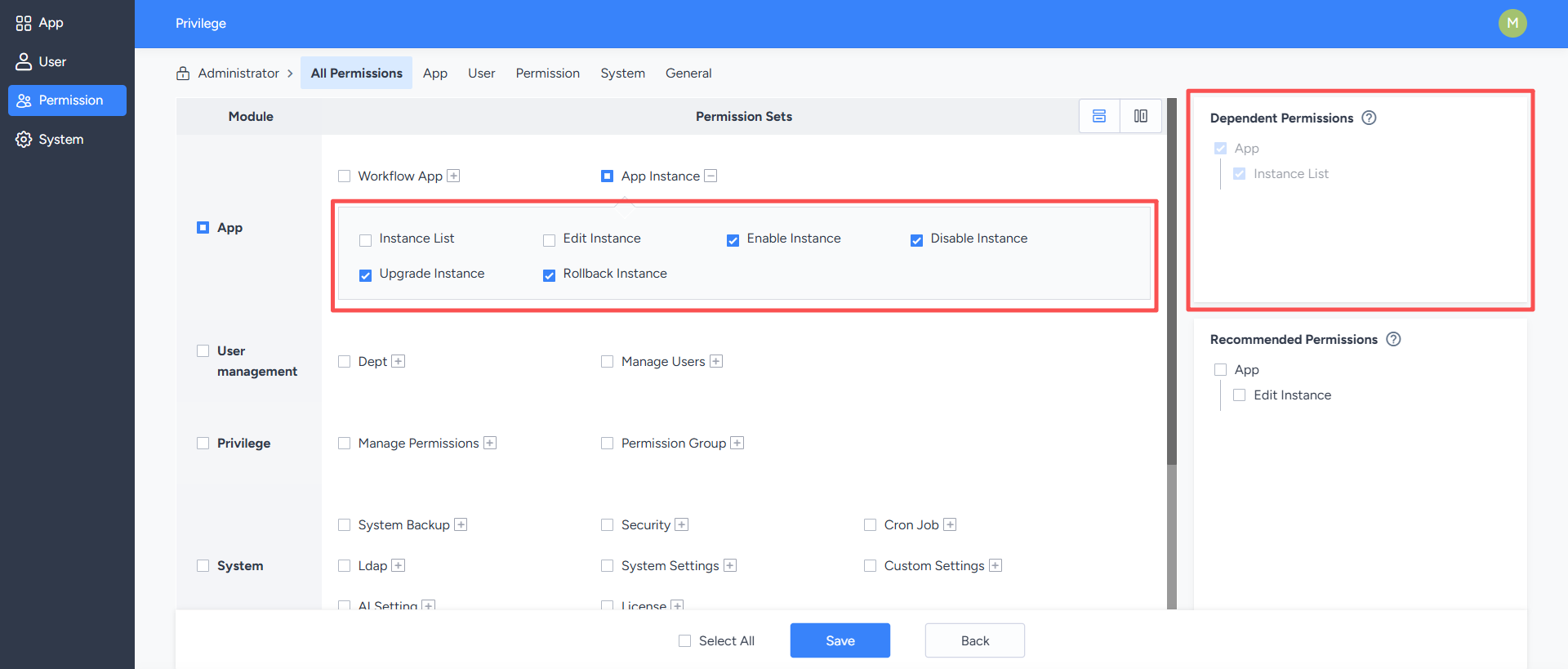
2. Dependent Permissions
Dependent permissions refer to other permissions necessary for a function to function properly. When enabling a permission, you must also enable its related dependent permissions; otherwise, users may not be able to use the function correctly.For example, when assigning product-related permissions, if necessary permissions such as Product List, Overview, Dashboard, Export Template, and User Request List are not selected, the system will display a prompt in the dependent permissions area. Administrators can supplement the corresponding permissions based on the prompts.
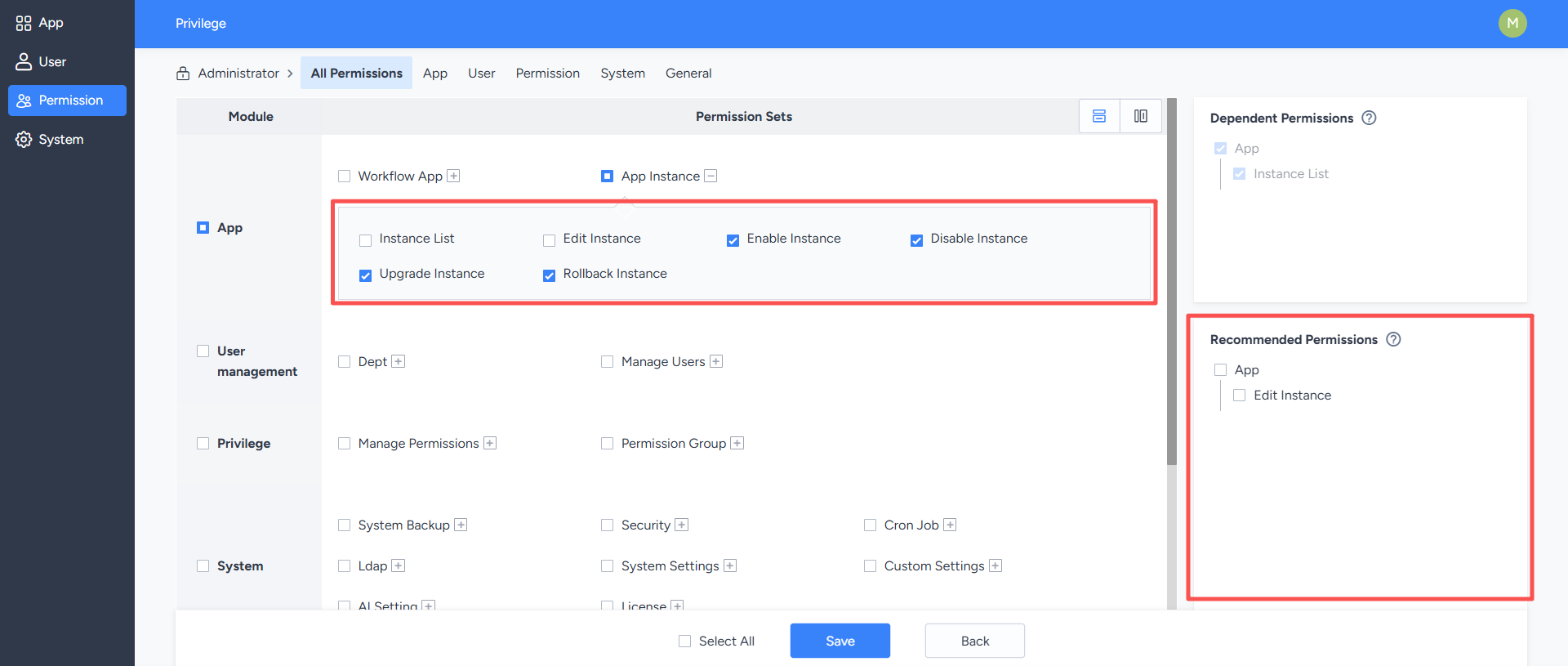
3. Recommended Permissions
Recommended permissions are those automatically determined and recommended by the system based on the currently assigned permissions. Assigning recommended permissions ensures users have more complete operational permissions, reducing situations where operations cannot be completed due to missing permissions.For example, after selecting certain product-related permissions, the recommended permissions area will list other permissions related to the selected permissions. Administrators can choose whether to assign these recommended permissions based on the user's actual responsibilities.