System
1. KodeFlex Introduction
1.1 About KodeFlex
2. Installing KodeFlex
2.1 Windows One-Click Installer
2.2 Linux One-Click Installer
2.3 Installing ZAI Service
2.4 Installing from the Source Package (All Operating Systems)
3. Upgrading KodeFlex
4. Platform
4.1. Application Management
4.1.1 Create an Application
4.1.2 Maintenance Application
4.2. Module Design
4.2.1 About the Module
4.2.2 Main Table Design
4.2.3 Sub-table Design
4.2.4 Action Design
4.2.5 Label Design
4.2.6 More Settings
4.2.7 Release Deactivated Modules
4.3. AI Features
4.3.1 Intelligent Conversation
4.3.2 Agent
4.3.3 Skill
4.3.4 Model List
4.4. Application Instance Management
4.4.1 Maintenance Instance
4.4.2 Navigation Menu
4.4.3 Data Source
4.4.4 Validation Rules
4.4.5 Approval Process
4.5. User
4.5.1 Maintain Users
4.5.2 Maintenance Department
4.6. Permissions
4.6.1 Maintenance Permissions
4.7. System
4.7.1 Company
4.7.2 Backup
4.7.3 Authorization Information
4.7.4 Safety
4.7.5 Timing
4.7.6 Time zone
4.7.7 LDAP
5. Business Applications
5.1 Access Applications
5.2. Backend
5.2.1 Personnel Management
5.2.2 Access Management

Backup

2026-06-24 11:09:20
liujinyuan
263
Last edited by liujinyuan on 2026-06-24 15:00:22
Share links

1. Start Backup

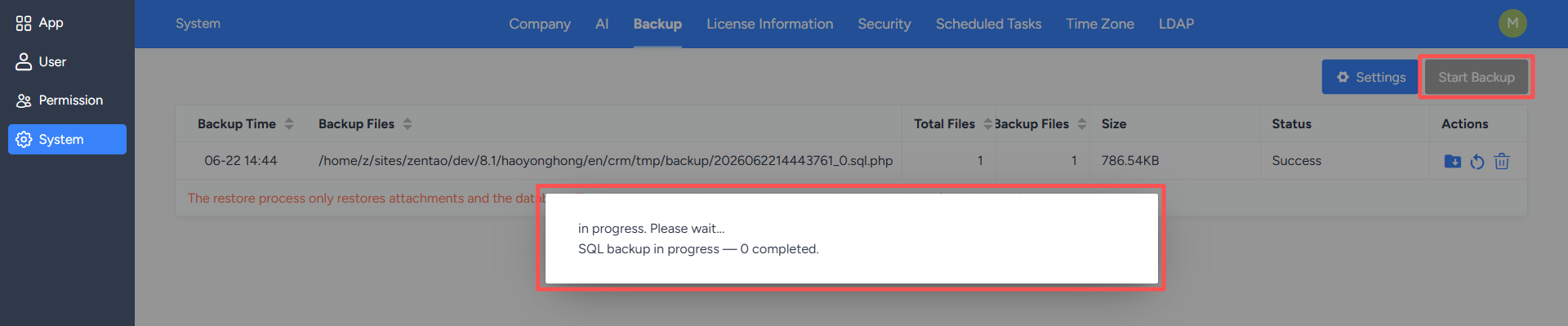
On the "Backup" page, click the "Start Backup" button. The system will back up current historical data.

Do not close the page or interrupt the service during the backup process. After the backup is complete, the system will generate a corresponding backup file, which can be used for data recovery or migration later.
2. Backup Settings

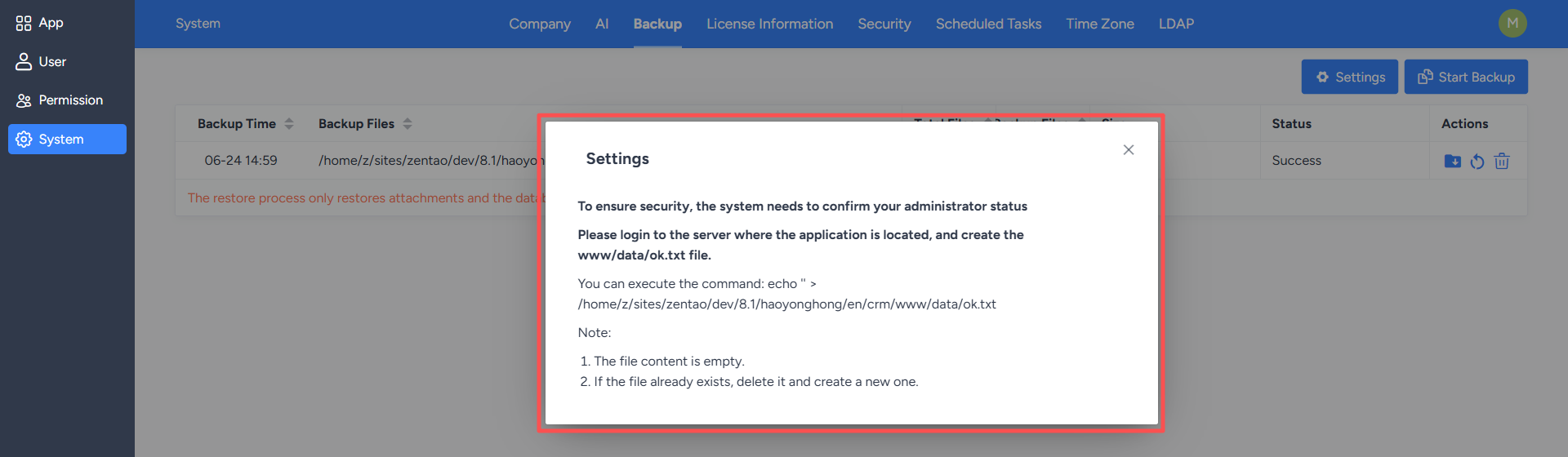
After clicking the "Settings" button, the system will require administrator authentication. Only after successful authentication can you access the backup settings page and continue operations.
3. Configure Backup Parameters

On the backup settings page, you can configure backup-related parameters, including:
  • Whether to back up attachments;
  • Whether to back up code;
  • Whether to add a PHP header to prevent downloading;
  • Set the directory;
  • Set the file save time.

Save the settings after configuration. Subsequent backups will be performed according to the new configuration.


Write a Comment
Comment will be posted after it is reviewed.